

Start with what a visitor needs to accomplish
The useful difference in web development vs web app development is the job people need to complete in the browser. A public website can help someone learn about a business, compare services or send an inquiry. A web application can let a person take a sequence of actions that changes a record, reserves a resource or creates an obligation. Both are built with web technology, and one product can include both. Choose by service requirements instead of assuming that every interactive button means the whole site needs an application.
A site describing a travel supplier may need fast pages with accessible information, current copy and a useful contact route. A portal where advisors prepare quotations may also need accounts, saved decisions, approval privileges and operational recovery. These create different work after launch. A content editor can correct a paragraph without changing a confirmed quote. A support team working on a customer record needs to understand what happened and what it is allowed to do next. A project estimate should reflect those responsibilities.
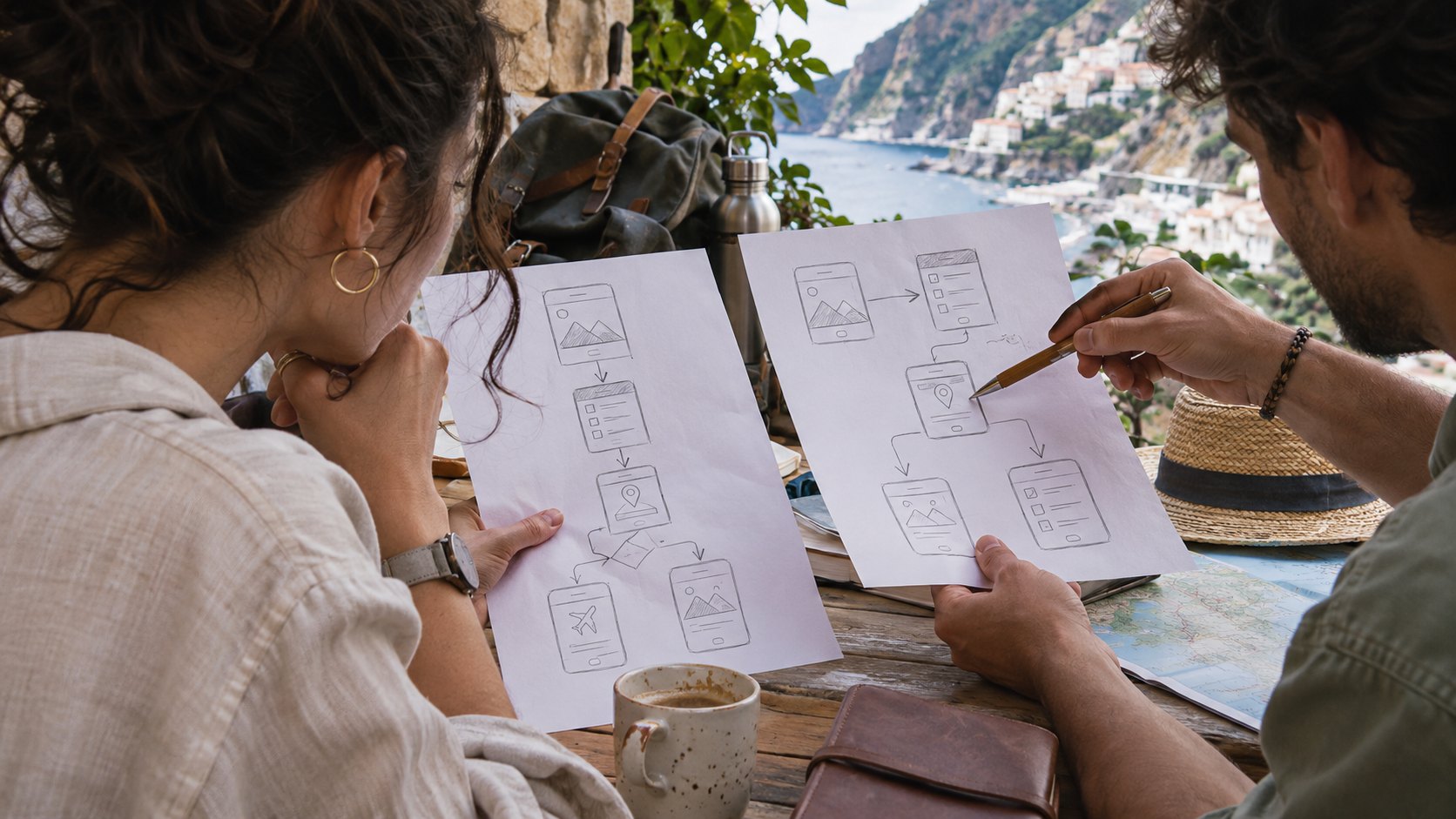
The fictional Coastpath project in this guide includes a public service directory and a private agency portal. It illustrates how a team can choose one model for each surface and release them together where useful. The purpose is to make requirements concrete, not to settle platform choice based on label or supply price estimates for every project.
Identify what is public, what is submitted and what changes
Distinguish display and inquiry from an operational workflow
A well-built public site may let visitors filter pages, open a map, review video or send a form. Interaction alone does not say much about its architecture. The business should define what a successful action means and where the evidence goes. A contact form can receive a message and acknowledge receipt. It does not automatically commit the business to an appointment or produce a priced service. The receiving inbox still needs ownership and an agreed response route.
Think about a downloadable brochure. The file can be publicly readable, have current metadata and use a reliable URL. A private quote generated for one traveler has a different access requirement. It can contain facts that only the appropriate account or approved staff should see. A quote may have a version, an expiry and supported next steps. If a person clicks what appears to be “Accept,” the application must validate applicable authority and commit the correct version before saying the order proceeded.
For each proposed route, identify the intended audience and result. A public “compare service levels” page can support pre-sale decisions without needing visitor accounts. A protected route might let a customer review a real claim or record. Set a default scope for new features and document any exceptions. If a public interface later needs protected data, move the sensitive action into an appropriate flow instead of hiding it behind cosmetic controls.
Name the underlying record, permission and business state
An application design usually needs a reliable answer to three questions. Which record is authoritative? Who can perform the operation? What does a successful action change? For example, a public calendar can show typical operating hours. A client booking calendar can hold one capacity slot. The visible layout might be similar, but the second has competing requests and a result that the server must decide. In the scope document, identify the actual source and when a displayed observation becomes a commitment.
Write down exceptions with an ordinary example. If a visitor’s inquiry timed out, the business can follow its contact review procedure. If an acceptance of a paid quote timed out, the user needs a way to learn the real outcome before trying again. A portal can preserve identifiers and update its status once evidence is available. It should avoid treating a network problem as a confirmed failure or making a second commitment based on an uncertain result.
Separate states for unsubmitted, received, reviewed, accepted and completed where the workflow calls for them. Do not declare all of them by default for every project. One tool might simply track a draft and a submitted form. A more substantial application may support edits, observations and approved cancellation. Ask who needs to read the state and which source can verify any stronger status. A meaningful inventory of actions makes the work clearer to both design and engineering.
Compare the technical obligations of each surface
Build public pages around discoverability and clear ownership
For public content, the team often needs to keep layout, wording and navigation easy to change. Make core information available in ordinary pages with readable headings and links. Test real device sizes and likely input modes. The public surface may use static rendering or a content management process, depending on who updates it and how dynamic the information is. A static page can still post an inquiry through an approved service. Good build decisions follow actual editorial and operational needs.
Plan caching by the kind of information shown. Product descriptions, design assets and reviewed documentation can often be served efficiently. An inventory or quote detail may need a current authorized read. Check who can see each response and which values are safe to cache. Even a public page can have an endpoint receiving messages or analytics, so describe the relevant information flow and policy. Changing the site’s rendering mode does not remove the business’s responsibility for what it collects.
Use the right accessibility goal for the public experience and protected workflow. The W3C WCAG 2.2 specification sets criteria applicable across web content, which can inform design and testing. Both surfaces need readable text, meaningful input labels and keyboard paths. A long application workflow can require more focused testing around state changes, form errors, dialogs and task recovery. Verify the specific accessibility expectations for the intended deployment rather than treating a passing visual scan as complete evidence.
Plan for transactions, updates and service recovery
For an application, map product actions to authority and side effects. Creating a support comment may carry a different level of permission from changing a quote or closing a dispute. Check input ownership and approval at the server, not only where a control is visible. Build a record of meaningful changes so authorized teams can review them later. Test changes from two different clients and verify a slow tab does not overwrite a more recent approved revision.
Product updates bring compatibility responsibilities. If a browser window is open while the application changes, the new server still needs an acceptable response for supported older pages or sessions. The team can show a safe refresh message if clients need an update. If using offline support, consult the W3C Service Workers specification for the relevant technology behavior. Browser capabilities can improve load and navigation. They do not replace a server decision about a booking or grant permission to keep private records on a shared device.
Monitor outcomes by business process as well as technical health. A route can return HTTP success while an actual customer action stays unresolved. Record meaningful errors and outstanding states with appropriate permissions and redaction. Define a support path for people who already started the workflow. A site operator can restore a broken service description quickly. An app recovery may also need to reconcile affected transactions and explain to users whether their earlier request was accepted. Estimate that operating work explicitly.
Work through a fictional website and agency portal
Keep the public directory focused on visitor decisions
Coastpath wants to describe its travel advisory services and receive enquiries. Its public directory has a service overview, useful comparisons, contact routes and a clear link to the appropriate enquiry form. The fixture lets a visitor send a fictional request. The server acknowledges receipt and routes approved fields to the responsible team. The person sees how to expect a response. The public page continues to work without a quote account, and it cannot accidentally reveal personalized prices from another customer’s case.
An editor updates the public information about coverage. The team can review a preview and publish a controlled version. It tests that this does not change any account’s accepted terms. The editor cannot revise an approved quote from the content controls because the authority belongs elsewhere. Builds and tests for both teams can share visual styling and established public components, while the actions and data have different owners. That arrangement may be more efficient than forcing people to use the same administrative interface for every kind of change.
Use the portal for authorized quotation states
Coastpath’s private tool shows a known advisor which enquiry is assigned to them. They create a quote, enter the plan and request approval under the company’s rules. Give the quote a reference and version. If it is changed before acceptance, the customer sees the correct version and the material revisions. A request to view it must prove the viewer has the permitted access, even when the route uses an unpredictable identifier. The customer can accept the approved option, which results in a traceable decision.
Test an ordinary timeout. The fictional customer clicked accept for version v3 and the browser lost connectivity. The application should show a pending or recoverable state and retrieve the authoritative quote status before allowing a new attempt. Version v4 may appear later because an advisor changed a detail. Compare the relationship between what the customer accepted and what is displayed next. This is a different kind of work from restoring the response display of a public form. The system needs to support valid actions without repeating the accepted commitment.
| Visitor task | Public website | Protected web application |
|---|---|---|
| Compare available services | Reviewed descriptions, accessible links and contact route | No account record needed for ordinary research |
| Send an initial enquiry | Authorized form and receipt acknowledgment | Staff can open an assigned incoming case |
| Review personal quote v3 | Public sign-in or help link | Check account access and show the correct quote revision |
| Accept v3 after validation | General help information remains available | Record authorized acceptance and the resulting status once |
Decide where the two parts meet
People should understand a handoff from research to case management. Use a consistent navigation and visible explanation of why a sign-in is needed. A visitor can use the public help page without entering private information. A customer can return to their case without expecting search results to expose it. Where a domain or routing boundary changes, verify the returning path and handling of expired links. A visitor should know what record, if any, they created just before seeing a prompt or error.
Design for teams who will maintain the project. An editor publishes established content. Operations checks active quote states. Engineering maintains shared capabilities such as accessible interfaces and configuration. Support learns which team can resolve a complaint and where to see the relevant evidence. Share a design system if it reduces friction, while assigning responsibility for changes to inputs, promises and operating privileges. A person starting later should see who owns the public directory and who owns final acceptance.
Estimate delivery by work and uncertainty
Break feature estimates into meaningful obligations
A web project estimate can start with the templates, content and ordinary navigation it needs. Include editorial migration, search discoverability, accessibility tests, performance and planned analytics. If a form sends an enquiry, include validation, routing, consent requirements and the agreed way to recover lost work. Compare how approaches support future updates. A public site can still be complex when it manages many locations and languages, so avoid price rules based only on page count.
For a web application, add records, authentication, permission design, business rules and a complete success and failure path. Consider support for data imports, historical activity, monitoring and migrations. If the business needs a protected report, define the sourcing, scope, typical load and accountable owner. A user role matrix and a small set of worked fixtures can reveal extra work before the price is finalized. Get evidence for connected systems and include time for unresolved permission or provider steps in the schedule.
Scope optional features with their own value and operating costs. Offline mode, customer sign-in and third-party integrations each have meaningful implementation responsibilities. A staged team can release a useful directory first if a verified portal is not yet ready. Estimate what staff needs during the gap and avoid introducing a temporary process with no owner. Conversely, if the core problem is staff re-entering approvals, a static description alone cannot fix it. Model a genuine operating improvement in terms you can test.
Compare maintenance with a real change request
Give the development team one requested wording correction and one requested quote policy change. The wording correction should follow the content workflow. A rule change needs agreement on its time scope, which existing offers it applies to, and what tests become necessary. Compare the rights and evidence needed for each job. Ask whether one release can update the shared appearance without interrupting existing users’ saved work. A useful project structure makes changes predictable even when the browser experience looks continuous.
Include a runbook or handover for the most important public and private failures. For the site, verify that a missing page leads to useful navigation. For the app, simulate a paused approval, failed message or missing quote version. The next responsible person should be able to find the case and give a reliable answer. Test changes on different supported phones and with a keyboard. Include the developer feedback needed to recover through one small bug without resetting business state.
Choose a release plan and acceptance evidence
Check public tasks before adding accounts
Have a visitor find a service, understand eligibility and send a test enquiry on a narrow screen. Confirm the destination receives the correct approved fields. Then use a synthetic customer account to open the matching quote and verify its terms. Close the loop with one support exercise. This tests a real handoff across public and protected surfaces. Track which part of each requirement belongs to the browser, the server, the operating team or a provider. Others can then improve the task without rebuilding unrelated components.
Test an anonymous request for an account quote and an authenticated request for an unrelated one. Verify the responses follow the intended permission process. Then simulate a confirmed acceptance followed by a refresh during a network interruption. The application should recover the original status without accepting it twice. A release is ready when users can complete the important flow and an authorized operator can explain the recorded result without needing a raw database view.
For future work, keep a glossary of the core transactions and their owners. A page change, contact submission and accepted commitment should keep clear meanings across design and operations. Prioritize projects by the actual problem and the strongest relevant evidence for solving it. A combined platform can reuse visual patterns and standard navigation while preserving clear boundaries between public information and protected work. That is the practical distinction to carry into the first proposal.
Make a small scope exercise repeatable
Add one future stage to the Coastpath fixture: a supported request to amend an already accepted quote. Keep the public comparison page unchanged and route the customer to the existing protected record. Staff can create a new authorized version and preserve the original decision. The app verifies who can propose, approve and accept this change and shows where support can recover it. This exercise helps teams notice when a simple-looking web requirement needs operational records and a different review path.
Now give an editor a request to add a public FAQ about the same policy. They can publish approved public wording without altering any past booking. Verify the link returns visitors to useful guidance and does not show an account-specific record publicly. Improve the cross-links as needed, while testing the distinct behavior of each route. This makes cost, ownership and release sequence easier to compare than a choice based on two broad development labels.
Plan a no-account path before paying for a portal
For one Coastpath service, assume the customer only needs a current description and a reliable introduction to an advisor. Test whether a public page with a suitable form and a staffed follow-up route solves the underlying problem. Count the issues the team actually observes: duplicate inquiries, customer confusion about timing, or requests where an advisor cannot find the original message. If the site needs a modest case record for internal coordination, it can connect to an existing approved tool instead of forcing the visitor to register on first contact. Define the data boundary and support responsibility even in this smaller build.
Now assume the same service usually requires several authorized approvals and a long revision cycle. Test a known quote whose expiry changes after an operations review. To complete this task without structured records, staff might rely on email attachments and another person’s notes. Have the team demonstrate an application path that finds the current accepted version, keeps the original decision and reports pending actions. Show the extra work to maintain cleanup, permission and state correctness. Comparing duties at this level helps buyers justify the protected workflow without automatically redesigning public product information.
Create an acceptance log for the handoff across both surfaces. Give the public site test a sentence describing its content task. Give the application test a record and meaningful outcome. Set a timestamp and use a synthetic case the next reviewer can repeat. If the navigation label is unclear or an existing account sees a broken link, record the observed issue and the owner who can resolve it. Do not accept a polished interface as the only evidence of business readiness. The project should support public discovery and a verified service commitment where each is actually required.
Finally, choose one measurable outcome for the first release of each surface. A public directory may target visitors finding the right referral route. A protected app may track the share of ordinary quote amendments that can be completed without support intervention. Keep target and evidence tied to the real decision under consideration. Revisit the selected scope after observing the first cohort instead of equating screen count with the amount of work a project can replace.