
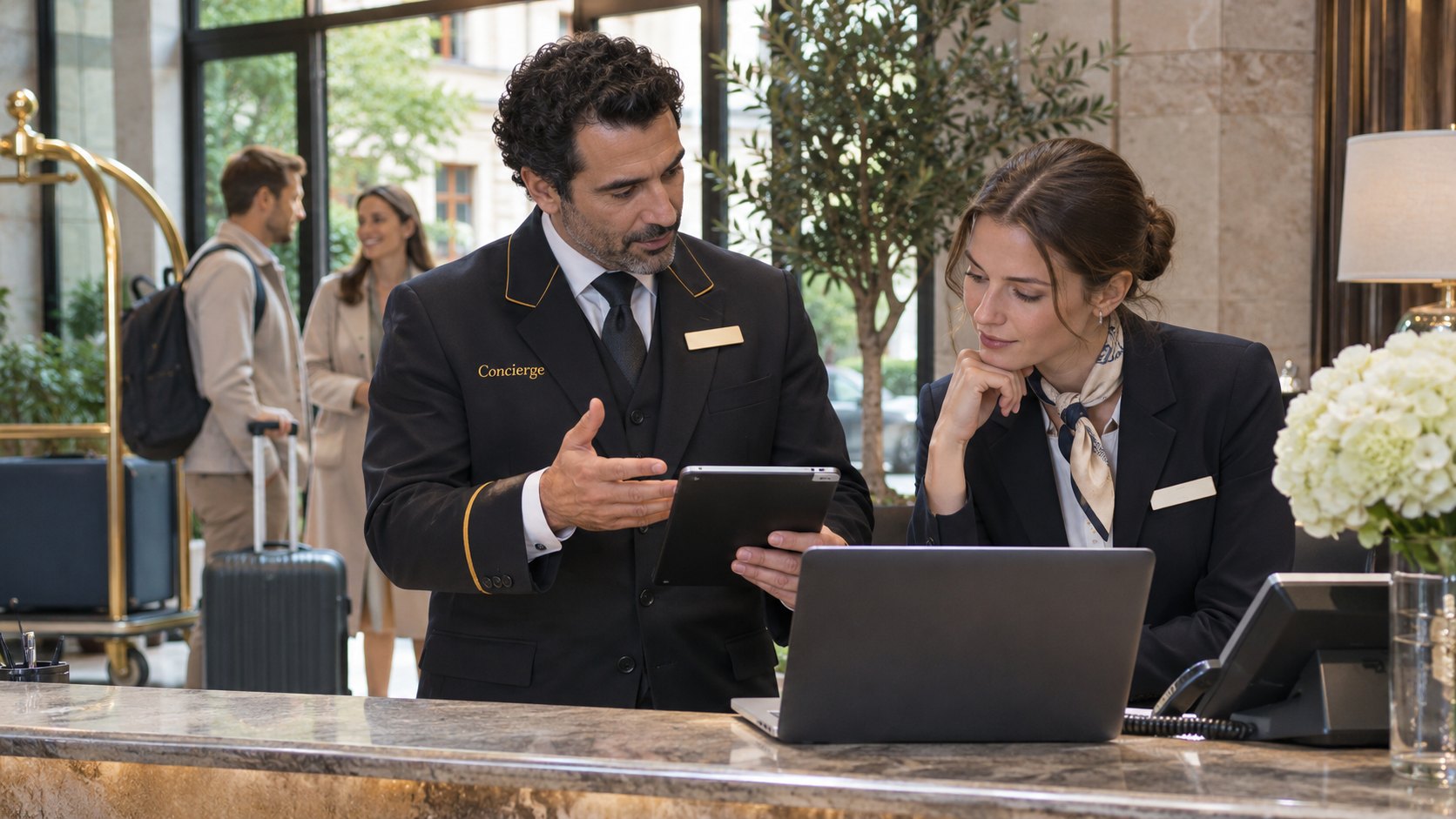
Give a hotel guest request to the team that can act on it
Digital concierge software can collect a guest's service request and deliver it to the right hotel team. The useful result is an accepted handoff, a current case state and an answer the guest understands. A lobby information page may tell guests when breakfast opens. A service request might ask housekeeping for an extra item or inform the desk that a planned arrival time has changed. These are different tasks with different owners. Begin with one property and a small set of request types. Show how hotel staff receive work, when they should respond and what happens if the normal team is unavailable.
Imagine Alder Lantern Hotel, a fictional 36-room property. A guest in an occupied room asks for an extra towel, using an existing approved guest access path. A housekeeping employee can take that case. Another request says the guest will arrive late tomorrow, so reception needs to review the relevant booking context. The same guest-facing interface confirms receipt for both. Staff need to be able to see who has taken each case, where an answer will come from and whether a handoff is complete. Use synthetic names and room assignments throughout the exercise.
Identify what connects the request to an authorised guest or room
The application may use a supported guest portal, a desk-created record or an approved in-room entry point. Define what proves the user can access the relevant request. When a room changes occupants, preserve the historical work for authorised hotel staff and avoid showing earlier guest activity to a later visitor. The Oracle OPERA Cloud service request documentation provides a concrete example of hotel system service requests. Check which operations your own property system supports and who can use them. Start the integration with the field and role boundaries hotel operations already approves.
| Guest request | Initial routing | What confirms action |
|---|---|---|
| Extra towel | On-shift housekeeping service owner | Employee records its accepted fulfilment or the next contact |
| Arrival timing changes | Reception with relevant stay reference | Reception provides a confirmed instruction through an approved route |
| Room issue with unclear category | Named front desk triage role | Responsible employee clarifies and assigns the case |
Separate receipt, assignment and fulfilment
Once a guest submits a request, the concierge should return feedback that reflects what the product knows. It can say the message has arrived without implying a named employee has acted. When a person accepts the work, optionally show an appropriate state and what the guest can expect next. An accepted status may require another person to perform the actual service. When a case closes, record the operator's evidence and intended reply. Use the same words on the guest screen and in support instructions to avoid a situation where the desk and guest have different ideas about what happened.
Design one test where housekeeping has received the extra towel request but is already handling another part of the floor. If staff can accept and queue it, show their useful next action. A guest may see an acknowledgement with a contact route under the property's policy. Use a promised time only when the operation actually provides one. If completion is recorded while the guest is out, keep the employee's note and stage according to the local delivery procedure. Check that an old receipt screen still leads to the current response if the guest opens it after the request advances.
Define the route by service, property and working hours
List the property teams and approved service responsibilities. A housekeeping request made after its normal shift could route to a night desk under the hotel's actual procedure. A reception question may stay with the reception group. Specify who owns a category when the normal team is unavailable. Show roles and fallback decisions to supervisors. Test the same request on either side of a shift handover. The case should have a person or queue who can take the next step, with a record of what changed. A busy employee should not have to infer whether a status means someone is working on the request.
Use two properties with the same category but different staffing in the fixture. For the first site, a service desk works late. The second site routes late requests to a designated reception employee. Enforce the right property, room or stay context when the screen creates a task. A cross-property supervisor may need to see both, while a local staff member may only need one. Reassign a request under approved supervisor permissions and check that the earlier owner, current queue and relevant response remain interpretable. Do not store every customer instruction in a shared view simply because the concierge name is common across sites.
Make intake readable and appropriate to the request
A concise intake asks for enough to identify the service and whether the employee needs more information. Preselect context only when it is established by the authorised access path. Do not require an elaborate guest profile just to ask for a permitted service. The W3C Web Accessibility Initiative forms tutorial explains designing labels, instructions, validation and feedback. Use those checks in a compact layout and test keyboard and assistive use. Try a guest entering an ordinary note and one who needs to correct a form response. Their message should remain available while they resolve an understandable error.
Offer the appropriate contact method for matters that need immediate attention according to the hotel procedure. A submitted routine request is appropriate only for actions which can be handled in that channel. The interface should explain the available hotel assistance if a guest is unable to use the form or the team needs a direct conversation. Use a reception-provided script or link where approved. Test the guest returning after opening the form from an old welcome message. Ask them to locate useful help without assuming the service is still connected to a past stay.
Present the next action in language guests can actually use
A status can describe the request and who is handling it without revealing details about staff or other guests. If the hotel has approved multilingual wording, review it with staff who can check its service meaning. Do not translate an estimate into a commitment. Use a deliberately long room location and an operational note which asks the guest to confirm a convenient time. Check what the guest learns on a small phone. Try an older message about a request after the person has already received an update. The system can keep the same reference visible while showing the current service instruction.
Ask which fields will appear when a staff member checks a request. A room context may matter for housekeeping, while a guest's wider booking notes rarely need to appear in that view. Decide how to represent guest-provided details appropriately and when a colleague should clarify a request directly. For the arrival example, reception has the relevant booking reference. Housekeeping should not be responsible for confirming a change to the underlying agreement. The concierge can route it while the authorised hotel role updates the reservation in the proper workflow. Test both views to ensure the distinction is visible.
Work through uncertain and duplicate submissions
Give the form a test network interruption immediately after the guest selects submit. The case may already exist while the phone shows a delay. Help the guest find the latest known state or the appropriate contact if the result is uncertain. Compare one test where an accepted request can be retrieved and another where the service cannot establish a record. Preserve useful messages without producing several identical tasks. Try a subsequent phone call about the same towel. The desk should be able to find the current request and attach the new contact if relevant, according to the business rules.
Use two truly separate household requests with similar wording. A guest may need one item now and another after returning later. Help staff distinguish repeated delivery of a message from a new authorised request. Record exact dates and source rather than deciding from wording alone. In the duplicate case, only one task should remain active while both contact records can be understood. In the separate case, each one needs to be handled as a real service request. This exercise guards against both duplicated work and incorrectly suppressed service when teams use several channels.
Use a shift handover that a colleague can reproduce
At the end of a shift, take the two separate Alder Lantern cases. Ask the next worker to identify what is open, what was promised and who can finish the work. The product should show the relevant communication and accepted action without making the employee call the previous owner. Include a difference between assigned and actually accepted by an employee. One team may receive a task which no one has picked up. If a case lacks a response, define what the supervisor can observe and when to intervene. Use the accepted handover as a training example for someone newer to the property.
Build a scenario where a housekeeping worker starts an action and another authorised employee changes the room assignment according to the property procedure. The task might need review before the advertised instruction remains valid. Preserve the original context, relationship to the currently appropriate room and the evidence for any change. Show only the appropriate guest-facing detail. Test one employee switching duties to another floor and discover how quickly current actionable requests become visible to them. A clear queue should make that transition explicit when normal responsibility moves.
Decide which hotel systems each event belongs to
A guest service tool may receive the stay reference from an approved property system and may retain operational requests by its own identifiers. Decide which source maintains the room or guest details and which has the authoritative service state. If a housekeeping solution receives work, agree on which states it can return and when staff check or correct them. Use known events to test a service completed outside the concierge page. Show how the result becomes visible to the guest or front desk. If a system cannot send a timely confirmation, give the operator a named review process. An integration should preserve responsibilities rather than treating every imported label as the same kind of status.
Review the evidence used for a promised service. A received request has its own time and actor. An acknowledged case has the evidence selected by the hotel process. A message delivered to a guest can have a different delivery status. Choose which parts a release can accurately report and which require an employee to verify them. Test a retry after an external update arrives twice. A posting date or event identifier can help preserve one accepted state without treating delayed updates as newer decisions. Provide a human-readable result when there is a genuine conflict.
Test links and screens at the actual points of service
Open the test case from a phone that staff use while moving through the property. Review alert wording, access and the next task in ordinary operating conditions. Then use a front desk browser and a compact guest device. Verify that the subject, request identity and primary action can be found quickly in each. If you provide an approved offline summary, show its issued time and how the current status can be checked. Note the roles able to print or forward information. Finally reproduce one failure with the supported help route. Include lower-connectivity areas in the test if the hotel expects staff to work there.
Pilot selected services and measure meaningful service progress
Limit the first release to two request types and named shifts. Rehearse a normal delivery, an after-hours request and one message that needs clarification. The property can then confirm how staff know a request was routed and whether the correct person accepted it. Measure time to assign a new request, time to first response and how many requests needed reassignment. Define each measure and what counts as complete. A number in an internal report should reflect the actual accepted workflow. Keep it distinct from a public service promise unless management has approved such a commitment.
Collect feedback from people doing the handover. Ask a guest representative to explain the current status and the next route for help. Ask the employee working at night to locate an open item and route it correctly. Compare their outcomes with the property procedure. A simpler menu or a clearer timescale may solve an issue more easily than adding another available feature. Preserve one or two well-understood fixtures for a later update. When the site adds a new service, the same evidence can show whether its boundaries fit or need a different owner.
Bring a real service request into a concierge software brief
Provide an anonymised message, the relevant access rules, staff responsibilities and a known answer from the hotel. Identify the source of the room context, the channel for confirming receipt and the person who can accept a follow-up. Add a failed submit attempt and one case after hours. Describe the accessible guest view and the specific evidence each staff role should be able to find. Start with a supported property workflow and use the pilot results to extend it. This produces a concierge workflow that can make regular hotel service easier to understand on both sides of the request.
Distinguish one hotel service case from a broader recurring issue
Try a series of requests about access to a particular floor. Individual guests might need a normal duty employee to help them or respond in the hotel's approved channel. A supervisor may also see an underlying facility issue and create a separate maintenance task. Link the relevant operational evidence using an appropriate record without sharing one guest's case with another. Show which request can close because assistance was provided and which maintenance task remains open. An employee reviewing the service dashboard needs to see that the same condition can generate several customer contacts and one underlying work item. An operations manager can decide whether the root issue calls for a broader status message.
Re-run the case with a genuinely unrelated request from a guest on the same floor. The concierge should not make one automatic assumption based on location. The employee sees the available service category and assigns the work under the actual property's rules. Consider whether some tasks need a private queue or a particular duty role. The product can record where the case belongs and keep a safe handoff if somebody enters extra details. Include a sample with only a vague question and ask reception to identify the next step. A concise question for clarification can be a useful service result when there is no confirmed information to provide.
Choose a reasonable privacy model for a shared room or booking
One room can be used by guests with separate contact arrangements. Decide who can submit a service request, what it references and who receives a reply. Use the hotel's normal policies for verifying a communication route. A room number alone should not reveal request history to another person. Try two permitted users with related stay information and compare what each sees. Some practical requests may be appropriate to share under the procedure, while personal concerns can require direct help. Preserve only authorised handling. Show desk staff how to route an unusual request and where they confirm a person's contact before offering an answer.
Use a request placed while a person changes rooms. A correction should preserve its earlier context and reflect the new place when the responsible hotel team approves that information. This matters when an employee picks up an unsent or unfulfilled job at a shift boundary. A staff summary should identify any necessary review involving location or timing. Check the guest view after the correction and make sure the information applies to the currently relevant request. Note how a previous notification is marked for support. The hotel can use the same test for another move during a later version of the property system.
Give supervisors a way to review backlog and staffing
Measure cases open at handover by property and service group. Put a clear date range and role on any report the business relies on. An acknowledgement may count as initial response, while closure requires the evidence the actual operational rules specify. Let the supervisor drill into one ordinary towel request and one after-hours case. If the report lists a delayed response, show which role or event determined its current stage. Run a sample report for an earlier shift after the case changed. The supervisor should know whether it describes what was open then or today's status for work created that day.
Offer a staff path for a reopened issue. A guest may say the answer did not resolve their request, or an employee may need to correct a mistaken fulfilment record. Keep the reported outcome, updated evidence and current responsibility. Give the role who can reopen the case an approved reason list and suitable text for circumstances not covered. Treat reopening as an accountable decision. Run the same sample with the hotel's existing completion report so staff can understand what counts as a closed case across both systems. Verify that ordinary late arrival notes remain with reception instead of returning to an unrelated team.
Keep support viable during refurbishment or seasonal staffing changes
Add an operating day with a floor temporarily unavailable and a different shift schedule. Check who receives the permitted requests from in-house guests, which contact still works and which messages the operator can update. Give the outgoing shift a few open cases and assign the replacements using established responsibilities. The hotel should be able to confirm that a changed schedule did not suppress ordinary work or duplicate alerts. A short release checklist can use this condition when the property adds a service desk, changes a provider or adjusts an overnight responsibility.
At the next staff review, pick one case that required a second call. Ask whether the original label, owner or response was unclear. Improve that detail and replay the same issue through the normal channel so the desk and guest can read one current result.