

Give exhibitor requirements an owner before the show opens
Event planning software for an exhibition should help an organiser turn booth requirements into orders or decisions people can act on before the doors open. An exhibitor may ask for an electrical connection, a banner fixing, furniture and a specific unloading window. The organiser needs to identify which request belongs to which assigned booth, the contractor who can approve it and what evidence sets its current status. Build the first release around one approved plan and the requests it generates. Focus on collecting decisions that make the plan ready before move-in. On-the-day schedules and attendee registration can use their own records.
Consider a fictional two-day exhibition at Elm Basin Hall. One exhibitor has booth B18 and plans a display with two powered demonstration units and a freestanding information board. The venue accepts a particular drawing revision subject to the published arrangements for that booth. The exhibitor later adds a display item and describes a different power requirement. The decorator asks which drawing it should retain. The venue contact wants to know when its review is due. The planning software should let each person find the right request and its latest accepted evidence. This is a product fixture, with invented booth and service details.
Read the venue brief and choose appropriate records
The Event Industry Council APEX Event Specifications Guide provides examples of organising event and function requirements, including material specific to exhibitor setups. The International Association of Exhibitions and Events display guidelines describe exhibition display considerations. The organiser should use the event's actual venue and show rules and qualified reviewers. Use the references to identify kinds of information staff may need to record, then check whose approvals apply to the particular venue, service and booth assignment. The software can support decisions; authorisation belongs to the appropriate responsible role.
| Requirement | Evidence needed | Proposed workflow owner |
|---|---|---|
| Updated display arrangement | Booth assignment and changed drawing revision | Organiser routes to the appropriate venue reviewer |
| Demonstration equipment | Equipment requirements submitted for review and a recognised provider order | Venue service team or specified contractor |
| Exhibitor delivery slot | Accepted requirements, scheduled window and named entry point | Logistics coordinator under the venue's process |
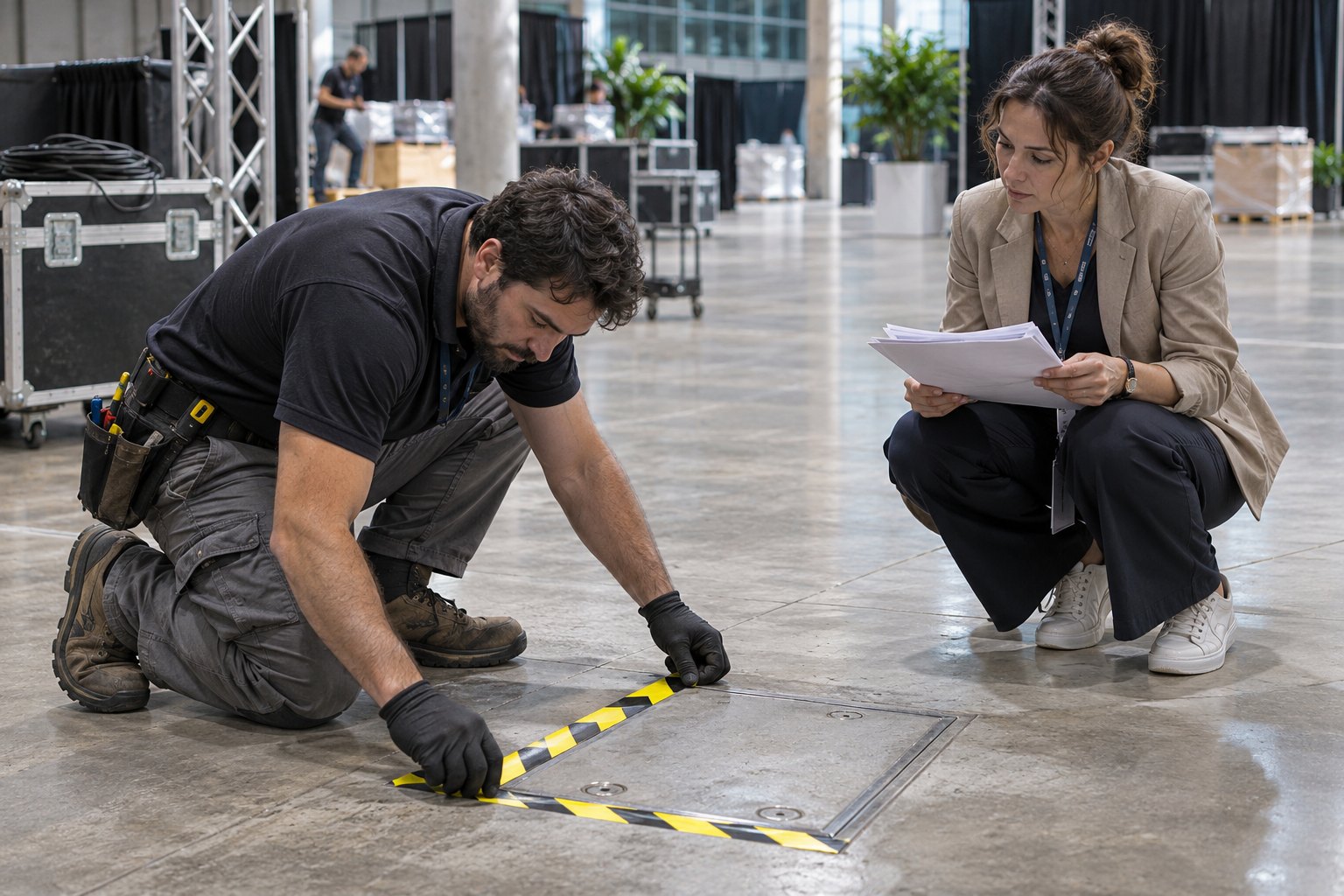
Keep the booth assignment, exhibit design and service order distinct
Start with the show, hall, booth and exhibiting organisation. Staff must be able to see who controls the contract for the assigned space and which person can submit requirements. Keep a record of assignment changes. An exhibitor might move to B20 after its drawing and utility order have been submitted. Some approved information may carry across after review, while other work needs to be redone. Show both the former and current booth with effective dates. If a service depends on the original placement, mark the relevant review clearly and route it to the person who can resolve it. A report of accepted orders should reflect the intended location.
Associate the exhibitor's drawing with its revision and context. A venue may need the latest acceptable version, while an older file remains relevant to a review already performed. Give the exhibitor a way to submit an amended document for the correct booth. When a reviewer accepts it, capture the recognised revision and applicable conditions. Test a document attached from another booth in the same organisation. The assigned reviewer should be able to tell which display it applies to and request a corrected submission. A file name alone does not provide enough evidence when several booths use similar drawings.
Show which approval actually authorises the next action
An organiser may be allowed to confirm that a form is complete and forward it. A contractor or venue manager may need to approve the actual work. Use distinct labels that staff understand. For example, a request can be complete for review but not placed with the provider. An accepted drawing can require further checks before services can be ordered. Test how the applicant learns the difference. Provide instructions and the person responsible for the next decision. The software should not allow staff who prepare a commercial quote to unintentionally mark a technical requirement as approved unless the actual operating procedure assigns them that authority.
Try one review where only part of the submission is supported. The exhibitor asks for three optional service elements, two of which are approved and one of which needs a different document. Preserve the approvals with the specific items. Give the applicant a way to answer the remaining question without requesting all services again. The reviewer wants to see which version or attestation the accepted records depend on. Design the app so changing one requirement clearly shows which approvals still apply. Use the fixture with the same drawing and a revised service request.
Turn utility and contractor requirements into accountable work
Name the information that an authorised provider needs to assess a request. The exhibitor can describe the item and use case, and a qualified provider can confirm the allowed order and its requirements. Link the accepted service to the correct show, booth and contractor. Ask how an operator identifies the equipment or service in its own system, and which source establishes the latest approval. A valid internal request might still be awaiting a provider's order. The software should show where the submission reached and what evidence remains to move forward. Use an ordinary example staff can recognise and adapt the fields to the real event.
Plan for a service that involves the organiser as well as the venue. For the B18 fixture, the organiser records the display requirements and confirms which operator supplies the response. The venue team validates the part it controls. The approved contractor can represent the selected option in its own order system and share a permitted reference. Test if an exhibitor can see progress without access to internal negotiation details. Ask the organiser's finance employee which price and charge status it can confirm. The accepted service, provider agreement and payment are related but may not change state together.
Use deadlines which identify an actual consequence
Put a date, venue time and responsible contact on each cut-off. The deadline may be for submitting requirements, confirming a revised approval or placing an order. It should be clear what happens if the applicant misses it. A review can require a later delivery period or a manual decision, depending on the venue. Do not represent a strict local process as a universal rule. Try a submission one hour before the cut-off and another after it. If a worker receives an authorised exception, record which deadline changed, with the reason and responsible approver. The resulting order should keep its readable schedule.
Let the contractor see only the applicable current details for its work. An external service provider may need booth number, schedule, recognised requirements and a relevant contact. It may have no reason to see unrelated exhibitor invoices or reviews. Test a view with two neighbouring booths and a contractor assigned to one. Then reassign the second booth in the fixture and check what changes. Document access and exports alongside the requirements because staff inevitably share planning records close to cut-off. Useful summaries retain the version and status without exposing the entire exhibitor account.
Use a pre-show dashboard to resolve dependencies
Build a short review view for the organiser. It should show unassigned service requests, drawing revisions awaiting a decision, approved requests that lack a recognised order and schedules whose applicable cut-off is near. Use the fields already present in the accepted records. Define each category so a planner can understand why one request appears. In the example, B18 has a drawing that needs review and an accepted service conditional on the last drawing. The dashboard should highlight the decision needed and its owner, rather than expecting staff to open all attachments for the exhibitor.
Give the supervisor one example with an order marked accepted by the provider while an internal planner still sees a pending task. Examine whether the project needs an integration update, a manually entered reference or a change in the way staff interpret the statuses. Keep the source and date visible, and state who can resolve a conflict. A team should be able to continue preparing other accepted work even while one requirement is unsettled. Avoid blocking the entire exhibition based only on an unverified result for one booth. Use the known fixture to test the final readiness indicator.
Design for approvals arriving through another channel
A venue may issue an approval or note through its usual portal or correspondence. Decide how to associate the permitted evidence and which employee is responsible for checking it. If a note arrives outside normal hours, the incoming planner should see which revision and request it answers. Test an acknowledgement that confirms receipt without making a decision, followed by an approved result. The order system should distinguish the two. Ask a supervisor to explain what remains open in the morning. Use the applicable owner and verified event status rather than automation that guesses what a message means.
Include a cancellation and a replacement plan in the review. A company could withdraw from the exhibition, leaving several planned services in progress. The organiser may need to notify the relevant teams and preserve the decision and any associated charge, according to the actual arrangement. Test cancellation of only one service and compare it with removing a complete booth assignment. A financial review can proceed independently of planning. The remaining orders should stay attached to the correct exhibit. This gives the planning application useful states before the show without requiring the team to manually clean up every affected record.
Prove the handover to setup staff is usable
Create the document that a setup supervisor needs a day before the show. Include show and hall, current booths, authorised setup requirements and access windows considered ready. Route pending items with their responsible organisation and approved temporary instruction. Give the document an explicit revision and publication time. Try a change coming in after the file was printed. The supervisor should be able to check which version applies, what changed and whom to contact. If a file is used without network access, staff need enough detail to identify whether it is current before relying on it.
Take one accepted B18 request and two incomplete requirements into the exercise. Assign the role of exhibitor, contractor and logistics supervisor to separate people. The exhibitor can point to the current submission and identify the requested change. The contractor can open the correct recognised order. Logistics can confirm the current delivery window from the applicable plan. Ask where each person would go to correct a mismatch. If their first action is to look for a different department's spreadsheet, amend the handover or shared reference to match what they actually need. Document this as a release acceptance exercise.
Try a booth shared by two legal or operating organisations
The named exhibitor may act with an approved co-exhibitor, equipment supplier or design company. Define who can submit each type of requirement and who can receive decisions. Test access for a representative added for a limited time. Confirm that the correct company receives applicable financial and setup notices. If the authorised person changes, make the new assignment visible and preserve the submission history. A complex fixture can reveal when a company name was used where an accountable person or approval role was really needed. Do this before the product starts to manage many documents close to opening.
Use the pilot to choose which services join the next release
Pilot one hall and one set of providers, with a handful of booth formats already understood by staff. Review the clock, attachment handling and approval process each day. Observe how long it took to identify a correct revision, close an order and resolve a changed request. Ask people to show how they recognise an incomplete plan. Count recurring problems where the fields or notification wording made work harder. If a request regularly needs a provider answer the product cannot retrieve, decide what manual route should remain and give it a well-understood status. A release can become useful with a small set of dependable services.
Set a review exercise for an exhibitor using a small screen to submit a correction. They should be able to see the needed attachment, identify the response from the reviewer and provide an authorised revision. Test the resulting acknowledgement and the planner's view using the same record. Include an alternate path for staff who must process an approved submission by another channel. Replay that case immediately before the next show. If the show reaches its cut-off without a requirement accepted, the team should see the exact next decision under the published process.
Prepare an event planning software brief for pre-show work
Bring a sample booth assignment, one revised drawing, one supplier order and an example of a request that changes after cut-off. List the people authorised to submit, review, approve, provide and confirm each service. Include venue rules as supplied by the responsible organisation. Ask the team to agree what the current status should say for each example and what details the receiving role can see. Use the accepted outcome to verify export and access as well as the displayed planner. The earliest release should let show teams act on verified current requirements rather than chase missing context.
At the end of a trial, reserve time for a second operator to reconstruct the readiness of two booths. Give them only their ordinary app access and the accepted fixture identities. Ask for any requirement still open, the next action and the approved delivery window. If they can state all three accurately and show the evidence, save that outcome as a repeatable acceptance check. It can guide each later expansion to new event types and service providers.
Reconcile exhibitor changes with the accepted contractor order
Add one booked service to the B18 fixture and give the contractor a specimen order number. The exhibitor then submits an amended display plan which requires the service decision to be reviewed under the actual venue process. The copy of the old order remains useful to identify what was requested. Show the employee a clear current state and a path to ask the approved provider about the proposed change. The project should preserve both the accepted order and incoming request until a valid decision is returned. Test that a more recent drawing file cannot automatically replace a decision about otherwise unrelated services.
Compare two kinds of change. An exhibitor corrects their business contact while all services remain as previously approved. A second exhibitor submits revised requirements that affect a booked contractor service. The request view needs to identify when normal contact updates are sufficient and when an operational review applies. Use the responsibilities agreed for the show to decide which notices and tasks are appropriate. A staff member can then explain why one update triggered a new review and the other did not. Decide which plans, orders and communications are affected before allowing the operator to distribute a new version.
Use the rehearsal to test acknowledgment and notification delivery
Have each external role open the planning packet as they would on an ordinary day. The contractor should be able to acknowledge receipt of the work information. The organiser can see whether the acknowledgement came from the expected service team and what order it identifies. If a welcome email fails, the exhibitor's status should not falsely move backwards to an unregistered state. Keep receipt of a message and approval of an item distinct. Test an accepted order whose notification did not reach the main contact. Give the venue team a way to establish what is still viable and the organiser a way to send an authorised follow-up.
Try another sample with an older PDF saved outside the application. Its labels should identify the actual show, date and accepted version. Ask the operator to compare it to the current accessible screen. If one provider prints its own orders, choose a shared identity which helps staff recognise the same item in both systems. Add the approved practice for reconciling these reports at setup. Avoid assuming that a person at the delivery desk is looking at the latest screen during a busy morning. Carry the revision and ownership in the published material the desk can actually refer to.
Give financial review the necessary scope without complicating exhibits
Some requirements are included in the booth agreement while others have their own order and accepted charge. Rehearse a service quantity change with the exhibitor customer and the operator who reviews applicable costs. Track which amount represents an estimate, which one was accepted and which supplier or organiser expects settlement. The software should make the required payment or approval stage visible under its agreed policy. Keep a customer or contractor's unrelated cost data away from routine setup reports. Use mock amounts in the trial and ask a financial reviewer to reproduce the decision about an item which changed after a quote was accepted.
Give the finance user a specimen late adjustment. They should be able to see whether it relates to a previously accepted order, an organiser decision or a provider correction. Ask them to trace the current order and confirm which data they can share with the exhibitor. A change to the charge does not establish that the actual display was approved. The financial reviewer can hand any unresolved operating question to the named planner or venue contact. Keep the expected route in the test, with a correction scenario for a charge linked to the wrong booth.
Write down the accepted plan for the next show
After the event, score the pre-show rehearsal against the things staff could verify. Review how many requests arrived without a usable reference, where approval timing became unclear and how the delivered setup packet was corrected. Identify which of these problems can be fixed in a form, an amended owner field or the required output. Set one new acceptance exercise after the team makes the change. Maintain the sample plan and approval sequence as a training resource, with show-specific fields that can be replaced when the venue or contractors change.
Finish with a short checklist staff can use before releasing work to setup. They should recognise the current hall and exhibit assignments, locate approving evidence and check which changes were confirmed with providers. Save the evidence and make sure each team can find the relevant part. The organiser can use that exercise to measure readiness in a way that applies to the actual event rather than relying on a completion bar.