
Hotel booking website design starts with an accurate room page. A guest should be able to determine whether a room suits their party, which facts apply to the actual room being offered and what a reservation will mean. An attractive picture may establish a sense of place. It does not answer whether a route from reception is step-free, whether a sofa bed is included in the booking, or whether the photograph shows the same room category. Treat these as editorial and operational decisions with named owners.
Consider a fictional property called Alder Arcade. It has two doubles on different floors and one courtyard family room. The website lists a partial photo set, the reservations team knows which guests can book which room and the facilities manager holds measurements for a recently changed entry route. A family wants to book for two adults and a child and asks about the entrance. The objective is to make a correct booking possible without collecting unnecessary information about why any guest asks.
Describe the thing a guest actually books
Use stable property and room category references that your website can reconcile with its booking service. Give each category a public description that explains location, bed layout, maximum occupancy and meaningful differences. Multiple individual rooms can share a category, but properties should say which features differ within it. If the hotel can guarantee a particular entrance or room, indicate how that guarantee is obtained. If it can only take a request, make the difference visible at the point the guest acts. Check that reception sees the same record the website describes.
The HotelRoom type from Schema.org describes lodging attributes including beds and occupancy. It can support consistent structured content. Keep that public data aligned with the visible page. A detailed room page still needs measurements, practical directions and plain policy language reviewed by people at the property. A field in a data type does not verify that every room served to a buyer has the listed feature. Build a simple revision routine so staff can correct facts in the page, room selector and supplier record.
Carry identity from the page into the offer
A guest arriving from a gallery might read about the courtyard family room and then click a button that opens an engine with all rooms. Preserve the room intent where the booking service supports it and clearly explain what happened if it does not. A deep link that highlights a nearest matching room can mislead the guest if the meaning of the mapping changes. Instead, carry a stable source reference and have the room selector identify any substitute. Link back to a current factual description when a guest views a different category.
Inspect the supplier mapping for similar labels. An upstream system may call a room “Family Court”, while the property publishes “Courtyard Family Room”. A nearby property may reuse the same room title. The public website must keep property, room variety and rate selection connected. Test two nearly identical labels in the same property and a stale mapping that still points to a retired category. Confirm that the site knows which selection originated on which page and what identity ultimately appears in the reservation.
Use photographs for orientation, then provide text for decisions
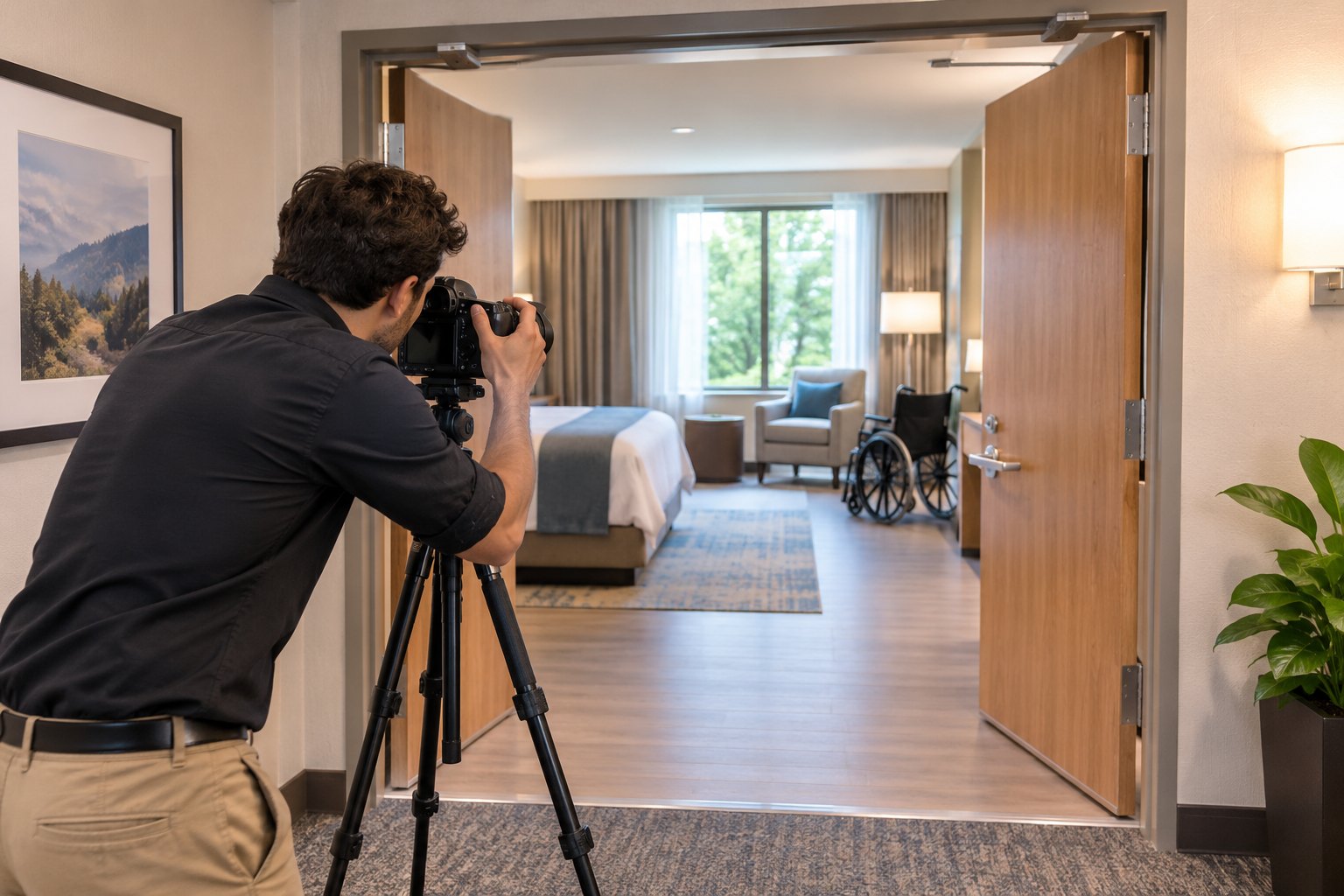
Show the actual room where possible, or label the picture as representative of the category. Photograph the approach and key features from angles that help somebody understand them. Put useful descriptions beside the image rather than asking every visitor to infer doorway position, elevation changes or layout. Avoid adding measurements based on an image alone. A photograph captured before a refurbishment can stay visible on a supplier site after the real path has changed. Store a review date, owner and clear route for reporting changes.
Set meaningful alternative text for images that communicate information. The reader may need to know that a photo shows the entrance from the interior corridor or the lift beside reception. Decorative photographs can be omitted from the reading order when the nearby content already covers them, subject to the site's accessibility approach. Ensure captions and surrounding descriptions add what a guest needs to decide. Reading seven versions of “hotel room photo” is not a meaningful replacement for inspecting the space.
| Fact | Evidence and owner | Information the guest sees |
|---|---|---|
| Bed arrangement | Reservations checks two adult beds and one approved child bed | Exact sleeping arrangement for the selected offer |
| Entrance approach | Facilities verifies the temporary route and date | Where to enter, plus any expected obstacle or assistance route |
| Available rate | Booking service returns a dated offer with conditions | Price, payment timing, occupancy and policy for this stay |
| Guaranteed room attribute | Property and booking team confirm the offer supports a guarantee | Whether the feature is fixed or recorded as a request |

Design around choices a traveler can verify
Keep the booking view understandable with the map, gallery and promotional labels removed. The guest should still know their dates, property, current variant, party and rate. Keep the visible accommodation facts when the person opens booking from another language or an older room link. At Alder Arcade the family starts on the room page from a railway station, sometimes on a weak mobile connection. A plain summary and one safe route forward are useful even when photography has not loaded.
The Web Content Accessibility Guidelines 2.2 provide technical criteria for accessible web content. Apply the relevant criteria to complete user journeys, including menus, room comparison, dates, occupancy, payment handoff and room confirmation. An interactive floor plan still needs accessible alternatives. Make controls reachable with a keyboard and give focus a visible state. Announce important changes in useful language, including the effect of an unavailable room or a revised total when the guest changes dates.
Let guests compare before opening checkout
At Alder Arcade, the family sees two rate choices for the same room. One includes breakfast and can be canceled within a specified window. The other has a different payment date and stricter terms. Align the comparison columns around the same stay, room and number of guests. Show inclusive and separate components clearly enough for someone to compare the real choices. Do not use color alone to distinguish options, and do not hide a meaningful cancellation difference behind an inaccessible tooltip. The guest should be able to review an option's conditions without assuming its selection commits the booking.
Some upstream suppliers provide less occupancy detail for child beds, breakfast or extra guest charges. When a required invitation is missing, decide whether reservations can validate it before the customer commits. If the site cannot present a dependable option, explain what can be checked and route to assistance. Test selecting a three-person party against a two-person offer. It should neither silently keep an invalid rate nor reduce the party to make it bookable. Another test should check whether the site shows which child ages affect an applicable quote.
Communicate room access as practical facts
At a property with a recent building change, asking guests to trust a permanent badge can create misunderstanding. A route description can explain which door to use, how far it is from reception and who can provide the exact details. If a room has a useful feature, state which layout or floor it is associated with. Avoid assuming that one feature settles every guest's question. The property might know how to describe the turn at the entrance and still need to confirm the exact layout of a different individual room. Set the expectation clearly and route sensitive questions to trained staff.
Use useful contact channels. A published number with no available staff during booking hours may leave guests stranded. A property support form can capture the room reference and requested dates with minimal additional details. State how the guest should expect a response and provide a suitable alternative where available. Do not add a question about a traveler’s personal circumstances unless it has an explicit purpose and a process for handling the answer. Operations can often address the functional need from a specific question about a route or feature.
Connect checkout, confirmation and reception
Booking moves the guest from room research to a commercial commitment. The website must retain the chosen product and show the current price and conditions. Where another engine accepts the reservation, confirm the handoff agreement and test which information survives. If the customer lands on a generic search page that loses party or room context, do not title the button as if it immediately reserves the displayed room. Plan a fallback action and send the guest to a meaningful destination when the intended preselection cannot be honoured.
Review the policy in the same language as the room facts
Have the editor examine the words used for property facilities, room availability, and a request at checkout. “Available” in a gallery can mean that a feature exists somewhere on site. In a rate review it can mean the selected accommodation offer is presently bookable. Label these facts according to context, and test the room detail and checkout with a person who did not take part in the design. A similar distinction applies to cancellations. Display deadlines and the applicable time basis and make room and rate conditions accessible before accepting payment.
Keep a copy of the actual advertised terms required for support and appropriate to the privacy model. The room editor may change the public page after the guest commits. The booking record should still show the original chosen product and accepted terms needed for servicing. For any property-specific commitment, define whether the hotel stores it in the same system as the reservation or in a separate request workflow. Exports to the property must retain the part it can action. Otherwise a correct checkout will still result in an incomplete arrival.
Verify the confirmation with a desk colleague
Give a desk colleague a synthetic confirmation printed from the website. Ask them which room and rate were booked, which features were requested and which features the property committed to provide. Ask them to retrieve the seller or supplier reference and reconcile the party without access to the editor's original maintenance notes. A missing field can be entirely invisible to the design team if everyone has lived with the page for weeks. This exercise exposes where an attractive interface still relies on undocumented knowledge at the property.
Try a confirmation on a narrow phone display, then read it as plain email text. Put the booking reference, dates, address and live contact path near the top. Preserve crucial access instructions in the view or in a directly useful link. If the arrival route changed after the booking, communicate the update clearly and reconcile it with the relevant reservation. Some terms must stay tied to the sold offer, while directions may need a new revision. Treat these as different kinds of changes in editorial and operations workflows.
Build a property content review and escalation routine
Choose staff by what they can verify. Reservations can confirm how a room and rate are sold. Facilities can confirm the size and condition of a physical path. A website editor can handle clear language and consistent display. Assign a responsible person to each record. Create an approval step when a fact affects what the site claims to guarantee. In the fixture, repair work closes the familiar entrance on Thursday and creates a temporary route. An editor must know whether they can publish on their own and when the corrected fact reaches the booking channel.
Design for a temporary fact with a precise expiry
A temporary route can have a start date, an expected end date and an alternative arrangement. Ask who checks it when the work overruns. Review the page as somebody booking across both dates. Where a fact is bound to occupancy or the arrival day, do not eliminate the notice solely because it is old or date-specific. Store the decision as a staff-owned record so guests who arrive on the changed date get a usable update. Decide separately whether distribution partners offer an interface to carry the affected facts in time.
Schedule a periodic check for important physical details. Compare the published statements with the latest room photographs and source inventory. A mismatch between public data and reservation-channel data should have an owner and priority based on the effect on the guest. For example, old paint in a photograph rarely requires the same response as a missing bed or a changed entrance. Use a short intake form for desk colleagues to identify the page, stay dates and error. Require just enough data to reproduce the problem and document the correction.
Handle translated content as a revision
Keep the property fact and its translated presentation connected. A translator should be able to see the approved source text and know which details must remain exact. A rate change or temporary closure can require a shorter update window than a brochure paragraph. Decide which translations must be updated before a fact can go live and what an affected locale displays while a correction is pending. Run a test in a language with longer labels and verify that room and policy information remains visible on a phone.
Take care around units and dates. Show measurements in a form that is appropriate for the target reader and retain the original measurement for verification. Do not round an important dimension in a way that adds an inaccurate margin. Preserve the civil date in the property time zone in route and availability messages. Give guests a clean way to tell reception which version of a description they saw. A consistent editorial system reduces errors in content updates and helps the property answer questions without assuming the user saw the same language version.
Test the few journeys that prove the website
Create a notebook of high-value tasks. A keyboard user comparing two similar rooms should reach every control and return to the hotel details without losing context. A guest who changes occupancy should see which rates remain available and which were refreshed. A guest with images off should still understand the route and relevant room difference. Demonstrate a check-in with a synthetic receipt after a change of room name. Verify that the staff trace still works from the current service registration to the accepted website terms.
Use poor data as a test input
Simulate an old photograph, a missing booking restriction and a price change that occurs as a room page refreshes. Document the expected behavior at each step. The image error should leave a coherent text story. The missing restriction should keep the site from showing unsupported claims. The revised offer should require appropriate review before payment. Test the linked booking service too. A useful fallback inside the property site is not enough if the checkout again assumes the visitor wanted the first available room.
Ask one person to complete the task with a screen reader and another with magnified content in a narrow viewport. Inspect the route from a campaign, a product listing and the main website navigation. Ensure a guest sees a reliable way back when the desired room is sold out. Review a difficult example with the facility and reservations staff together so they can agree which claims can safely become direct booking information. Then capture the successful booking, its current public description and the reception report as evidence for the release.
Define what a first release includes
Bring two rooms with different capacities, one example rate response, the property’s approved physical information and a sample confirmation to the requirements discussion. Include a representative set of languages and the channels that should reuse the same facts. Start with a few properties whose inventory, editorial responsibility and operational contact are known. Review more complex room configurations after the team can test interruptions and confirm changes across the actual supply connection. A short delivery review with TravelTech365 can turn those room and booking examples into a property website scope, test plan and launch order.
Check that the website, booking team and property use the same evidence
Before commissioning a new design, compare a handful of real room categories across the public site, central booking engine, reservation email and front-desk screen. Record which source owns the stable identifiers, room names and bed configurations. Write down what a reservation agent should do when a guest picks an option that refers to the old identifier. If ownership is unclear, begin by reconciling the selected rooms by hand. It is easier to test the public experience once the people responsible for room facts and sold offers know what those facts mean.
Sample changes after the new site begins receiving traffic
Choose a well-understood property and ask an editor to publish one update per week during the first month. Walk through the relevant date range as a guest and verify that the copy, external engine, accessible names and confirmation all use consistent descriptions. Bring flags raised by analytics or reservations to the same review. An increase in visitors opening a route link but then asking reception where to enter may show that the directions are too vague. Measure how often a guest has to leave a room page to retrieve dependable information. A well-written small section can be more helpful than an extra step in a complex booking flow.
Ask reservation staff to document cases where the property cannot provide the room feature a guest thought was guaranteed. Record the page revision, the booking details and which team encountered the difference. Classify the problem by data ownership. Some failures originate in a wrong public description. Others are an upstream mapping with an outdated reference or a confirmation that drops a note. Keep each case associated with the responsible system and test the fix against the original circumstances. That process also gives editors examples to use when they add new room categories.
Review a second independent area, such as pet arrangements or assistance at late arrival. Compare details on weekends and during staffed hours. Consider what an overseas guest sees outside the property's support window and whether the guest can get an accurate answer before committing. Avoid making the answer dependent on a single photo, promotional block or unnamed colleague. Follow up periodically when the property changes a supplier or replaces a booking widget, because any new handoff may carry a different subset of the facts the site promised.