

People asking how to develop car hire software with user and driver mobile apps often imagine booking and collection as screen sets. Design them as one verified handover. A renter needs the correct branch, accepted vehicle class and useful confirmation. A rental worker needs the actual vehicle assignment, approved condition record and the ability to address an exception. In this guide the driver-side tools support the authorised handover employee or designated delivery driver, depending on the retailer's operation. Start with one commercial rental and prove which person can accept each part of the handover before adding dispatch or another branch.
Build from one car hire handover the team understands
Use a fictional rental company, Beacon Road. Its customer booked a compact vehicle at North Depot for a two-day rental. Desk staff assign car B18 shortly before collection and give the worker a digital checklist. During the walkaround they record an existing scratch. A supervisor subsequently assigns another eligible vehicle because B18 needs inspection for an unrelated concern. Another worker processes the return two days later. Each person needs to know which assignment is current and where the inspection evidence belongs. Use invented information and established local policies for the scenario. A test of this sequence can reveal how changes are managed under pressure at the counter.
Define each role clearly. The customer app helps the authorised recipient find the booking, pickup instructions and agreed status. The worker app supports the branch's collection, delivery or return procedures. It may have different assignments, inspection tools and access limits. A designated driver could also be a fleet employee delivering a vehicle or the authorised renter, depending on the product. Choose a role definition that reflects the feature and place the relevant identity next to each action. Test a referral from the retail app into the correct branch staff route. Keep assigned people separate from the vehicle or reservation record they act on.
| Step | Customer useful information | Worker evidence |
|---|---|---|
| Before collecting | Accepted rental, collection branch and applicable instructions | Current assigned vehicle if known, authority and relevant work list |
| Condition check | Agreed report and a way to ask for clarification | Vehicle identity, attributable observations and decision under company policy |
| Return review | Receipt of the return or an explicit pending action | Recorded return event, condition review and responsibility for any exception |
Map offer, assigned vehicle and legal rental evidence carefully
A displayed class can help a customer choose but may not establish a specific vehicle. The branch assigns an eligible car according to its actual agreements. Make both concepts visible in the record. Staff should know which identifier applies to the storefront product, which identifies the actual vehicle and which documents the accepted rental. Connect them with a current assignment and preserve any earlier relevant assignment after reallocation. The customer should receive suitable current instructions rather than an internal inventory history. Use a sample with two similar compact vehicles and an older confirmation on the customer's phone to see what happens.
Bring an approved specimen of the actual policy and check the terminology with the operator. The Enterprise European fee schedule illustrates that rental charges and conditions can be location-specific. It is not the applicable policy for your product without verification. The GS1 EPCIS standard offers a formal example of evidence about what happened, where and at what time in tracking workflows. A small trial can use simple internal reference records. Keep the source of each charge, condition check and action explicit and verify whose role establishes it.
Make accepted identity visible before collecting evidence
The mobile staff view should display the related booking or task, the current vehicle and the assigned branch so the worker can recognise the car. Use identifiers that can be checked through the actual work procedure. An employee might select a record from the shift list or consult a known fleet label. Test the case where the worker steps beside the adjacent car across the aisle. Use a safe fixture to show what blocks recording the inspection against the wrong unit or how a correction is made. Confirm data only from an authorised and appropriate source. The customer should not need to decide what an internal record ID means.
For contact and identity checks, use the operator's approved methods and required roles. Establish what the customer can safely submit ahead of collection and whether additional checks happen in person. Mobile uploads can have retention and access requirements, so define the business need for each field first. Test using synthetic information. Give a staff member a case with missing verification and see how the app explains the authorised next action. The app should not represent an identity check as complete just because a form was submitted. Show whether another operator must review the information before handing over keys.
Choose a vehicle condition capture staff can use
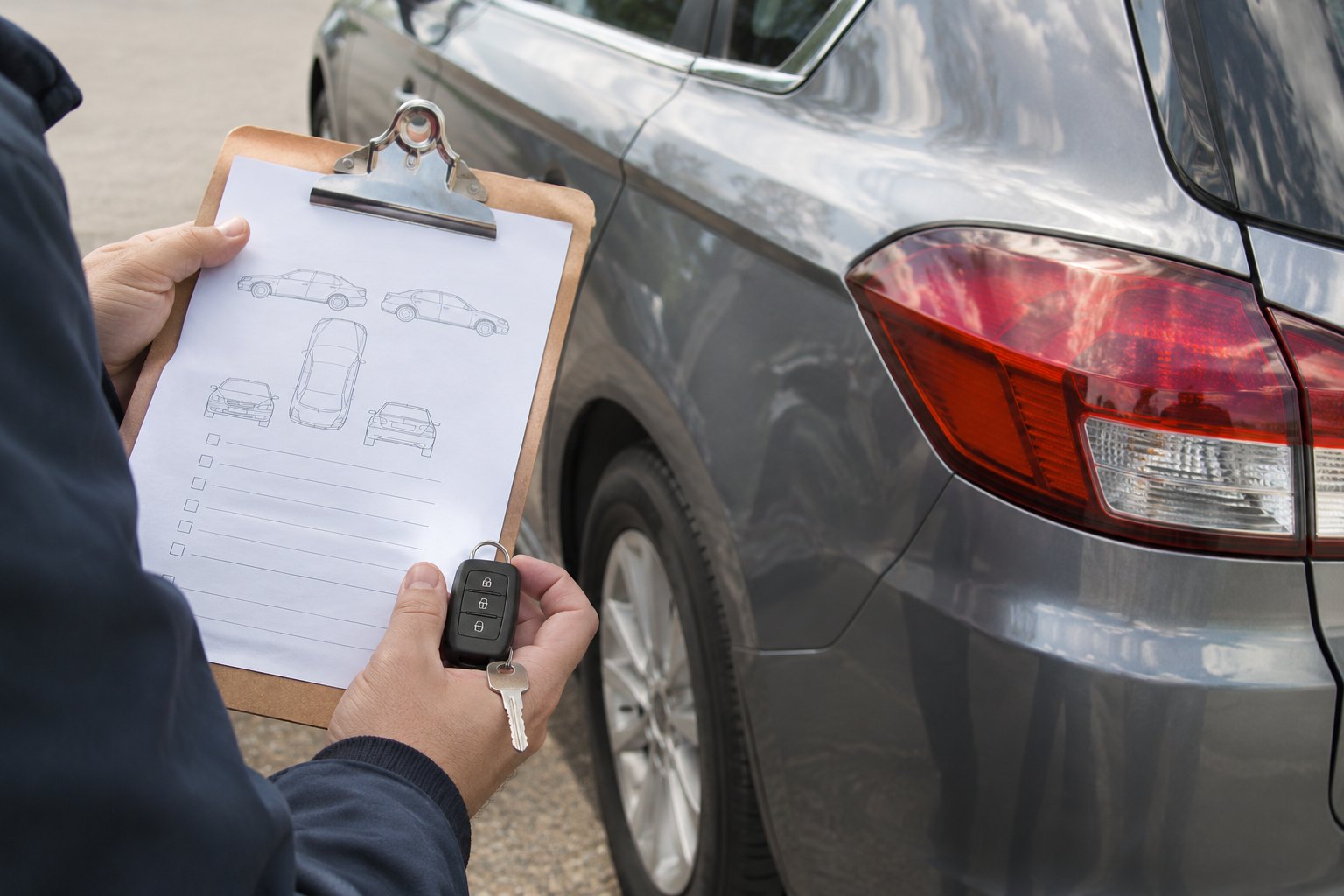
Start with the example scratch. Identify which observations the operator permits staff to record, which attachments are relevant and who can review them. Do not assume every employee can settle a claim or approve a fee. A useful report can link a photo or note to the known vehicle, point in the check process and current set of instructions. Ask if the customer needs to acknowledge the observations and what evidence records that action. Try a situation in which a sample receipt opens on a second device and the worker needs to confirm that it is the latest accepted record.
Run a comparison after the car is reassigned. The existing scratch observation for B18 remains related to that physical vehicle. The new handover begins with a condition record for the actual assigned car rather than inheriting the prior observation. Test what can be shared with the customer under the business's policy while preserving the old report for authorised staff. Ask the person taking over the shift which step is still open and where to inspect the evidence. A clean separation makes it possible to show a corrected assignment without concealing the timeline or mixing the condition of two vehicles.
Teach the app to distinguish a report from a decision
A customer may take photos or submit a condition question. That provides an observation, while an authorised employee may need to check it against the original report. Store appropriate evidence and state a review owner. One report might be accepted by the operator, another verified with different details and another left unresolved pending information. The support view should make those differences readable. Handle evidence according to the rules in the actual jurisdiction and contract. Avoid exposing another person's personal information or collecting detail unrelated to the work. Demonstrate a normal correction and a disagreement using invented cases.
Ask what an accepted acknowledgement means. It could show that a customer viewed a condition report, agreed with a record under the company's procedure or received their keys. Do not collapse those events into a universal handover complete checkmark. Give the employee an explicit step for each action the business expects to be able to prove. When someone arrives late or has a question, a colleague should be able to describe the verified current state. Adjust incomplete messages only when the responsible operator can supply the relevant evidence. Use the current approval and records to route anything that remains open.
Reflect real branch conditions in mobile usability tests
Take the test to a representative pickup area and ask staff to use the approved devices. The vehicle identity, current checklist and any ability to attach an approved observation should remain readable in the conditions the branch supports. Check one cooler lighting context, a small phone and a glove-friendly process if that applies to the operator. Have the worker stop partway through and resume under normal device access. The customer should have a practical route to review a supported handover outcome without needing the worker's phone or login. Capture where people missed the important information and fix that rather than assuming a new motion or colour is needed.
Rehearse a mobile connectivity interruption at handover. The staff can use the fallback allowed by the actual site instead of inventing an accepted result. If temporary evidence can be captured safely, identify the source, local time, current assignment and ownership. Verify what happens when the device resumes. Two employees might enter the same event from different devices. Give the authorised supervisor a way to recognise related evidence and choose the proper current state. Preserve the accepted trail in the normal operator view while restricting private data and device retention to the intended rules.
Handle delivery and inter-branch work as its own assignment
A rental company may offer delivery to a particular site under approved procedures. The driver work list then needs the vehicle, destination, time and required acknowledgement appropriate to that assignment. Keep delivery instructions specific and accessible to the responsible people. A customer's complaint about an unrelated maintenance record should not be visible to a delivery runner unless it affects their role. Use the fixture with an authorised colleague finishing the drive and another meeting the customer. Ask which event confirms custody and how staff can tell what happens if a representative other than the expected renter appears.
Consider an approved branch transfer when a vehicle is needed elsewhere. It should have its own operational assignment and locally attributed handover. A vehicle moving between sites can still be reserved for a future customer. Test the workflow's ability to show planned movement without falsely declaring a pickup completed. If the delivery has to pause, assign an authorised successor and leave a clear message on the affected task. Use a synthetic example to check the information that flows between branches. The customer needs the latest verified pickup details, while the fleet team may need the previous assignment and condition evidence.
Record return and review independently
For the two-day example, show when the branch acknowledges return of the car and which condition or finance work remains under review. A return accepted into inventory does not on its own establish which amount the contract allows or whether a particular charge was assessed. Support can make an accurate response if it sees the right information and named owner. Use a permitted notice that gives the customer useful instructions when the counter is not open. Ask who confirms the vehicle was received and what report contains an approved subsequent inspection. Keep the authorised source and time visible to the appropriate workers.
Have an employee test a return with an uncertain observation and a second one with a completed ordinary check. Review which states the next shift needs to recognise before making the car available again. The completed contract can still have an open question. Test that the right role can see the relevant evidence after the vehicle has another assignment. Where the operator uses several systems, record which system confirms the result and how an authorised employee reconciles the references. Protect appropriate records without displaying unnecessary personal or financial details to the branch staff who are planning the next assignment.
Choose evidence for initial acceptance
Bring one approved rental agreement, a matched vehicle record, a branch reassignment, a condition report and normal return workflow. Let users perform the routine actions on their usual devices. Review one straightforward handover, one with an interrupted response and a case that needs a supervisor. Use the same recognised references throughout. Record what the renter can see and how staff check the accepted outcome. A realistic review can expose an awkward sign-in step, a missing branch location or an unnecessary attempted duplicate. Choose a limited initial group of branches and technologies until the participants can run the agreed case reliably.
The organisation can repeat the example for a different branch or car class when it has the authorised materials and roles. Record how it knows a vehicle is fit for the accepted assignment under its own policy and how staff can confirm a change. Treat the mobile rollout as a shared operational decision, with the product responsible for making current evidence and appropriate steps visible. Capture a named support path for the trial. This leaves the people carrying out the handover with a useful tool rather than expecting them to fill unseen gaps between separate apps.
Plan the customer journey from the desk employee's point of view
Ask an employee to run the fixture while another person plays the renter. The person starting in the customer app can locate the booking, confirm where to go and bring evidence of the accepted rental. The worker can identify which vehicle and instruction currently apply under the branch's normal procedure. Test a slow arrival from someone who has only the original confirmation and whose app has not refreshed. Decide which question it is appropriate for the employee to ask next. The intent is to check the real handover, not to collect more details by default or require a customer to know the internal vehicle reference.
Have the renter ask about an option at the time of collection. It could be a permitted additional driver or another supported arrangement. Decide who can record the request and which acceptance is needed. Keep the original terms visible and make sure a proposed item does not appear on the customer receipt as accepted. The worker app can communicate what people can verify and direct any special case to its responsible operator. When another employee joins the transaction, make sure they can find the changed decision without repeating a check already performed by an appropriately authorised colleague.
Choose how the two views recover a dropped session
Set up a test where the renter scans or opens a link and the app reconnects after the staff member records a handover step. Give the customer a clear place to find the result under ordinary account access. The branch can verify what the customer should see without reissuing a handover. When there is no verified result, show a route to regular support. Keep the actual side of the transaction distinct from notification delivery. A message that arrived late may explain the customer experience, but it should not alter proof of receipt or decide whether a vehicle was released.
Use another fixture where the employee started an inspection for B18 and was interrupted before accepting it. After reallocation, the application should help the next employee determine whether the earlier observation remains valid for that car. They should know which checklist applies next and which work was never completed. Ask the responsible operator to decide how to retain a partly completed record under the accepted procedure. Test a repeated upload and the correction of one invalid attachment without removing useful observations from properly checked vehicles. This across-shift scenario helps demonstrate that the mobile records can survive routine interruption.
Review accessibility on both sides of the rental
Have one customer use the approved summary on a narrow screen and one colleague find the same signed result on a large display with enlarged text. Use normal accessibility tools and the device contexts the business supports. Check that the status announcement and action terms are understandable. A phone handed to a staff employee should not expose unrelated management information. A branch manager should be able to identify which shifts require extra assistance or written work instructions. Bring one condition observation with a long description and verify its relation to the correct heading and car. Clear language often saves time when staff and customers have different first languages.
Try a receipt when an attachment is temporarily unavailable. The output still needs a useful identity, accepted status and contact route. Have the worker verify what was received using the correct branch or delivery view, and collect an appropriate request for clarification if needed. Use a recognisable condition identifier instead of describing inspection evidence with colour alone. When the record is revised under authorised review, check that both screens can identify the most recent accepted version. Training notes can give staff a concrete example in which a prior receipt remains informative but a later reviewed state applies to current actions.
Make a later dispute an acceptance test rather than an afterthought
After the trial rental closes, ask support to look up the customer’s concern about a fee. Give the reviewer one applicable condition record, an accepted rental and an unrelated maintenance action. They should find which evidence can be shared and whose role verifies the fee under the policy. The app should let someone investigate the correct vehicle association and find the intended source with ordinary access. Do not train employees to infer a liability outcome from an unreviewed photo. A clear shared reference helps the appropriate team review its evidence without asking the customer to reconstruct the whole visit.
Try another report about a charge where the car was actually assigned after the original inspection. The authorised reviewer can verify the former and current assignments and explain which report pertains to each one. Decide how the system maintains a review trail without exposing it to ordinary branch roles. Keep the customer's operation history readable in its own view. Document the approved next step when the worker sees a conflict. The branch can support users in a consistent way if it knows which information to raise and which fields it should not assume are current.
Record a concrete adoption plan for more than one location
Choose one branch and a small device set for the first trial. Establish which customer-facing features need review with each branch and which worker steps are configurable within the operator's policy. The field trial should answer whether staff can pick the right vehicle, capture the permitted evidence and leave a clear receipt for the customer. Keep one unchanged assignment and one changed after inspection. Review the accepted instructions and workforce feedback with the same supplier contact. Roll out to a second depot after proving a similar branch condition under ordinary use, not merely after a successful installation.
When the mobile applications or rental conditions change, have a relief worker replay the test. Ask them to identify the assigned vehicle and point to the accepted report after an interruption. Give support an approved reference to the current result. Keep any observed problem with the people who can correct that step. This makes the product easier to operate and maintain even as vehicle types, counter hours and staff responsibilities evolve.