
Travel Agency Website Development That Fits How Agencies Sell
A travel agency website has more to do than introduce a company. It should help a visitor understand the trips available, judge whether an itinerary fits their needs, ask a useful question and reach the right person for a reply. For some businesses, that means a carefully managed catalogue and enquiry process. For others, it also means live availability, online payments and booking management. The right approach depends on the agency's products, suppliers, team and operating model.
TravelTech365 provides custom travel website development and redesign services for agencies that want an experience built around their actual sales process. The work may involve a new website, restructuring an existing one, adding a package content management system (CMS), connecting enquiry forms to a customer relationship management (CRM) workflow or planning a later transition to bookable inventory. Agree which modules belong in your first release and who will maintain them.
Who needs a different kind of travel website?
A leisure agency selling tailor-made holidays may need strong destination content, seasonal package ideas and consultation requests. A group tour operator may need departure dates, inclusions, room-sharing notes and an organised process for collecting group requirements. A corporate travel agency may prioritise service descriptions, account enquiries and approval handoffs. A destination management company may need partner-facing itineraries and a way to capture enquiries from overseas agents.
Define the first release before selecting features
Start by listing the agency's most frequent enquiry types, current package sources and existing content. Identify which parts change daily, weekly or only occasionally. Confirm the languages, currencies and contact channels that genuinely need support. Then divide requirements into essentials for launch, useful additions and separately scoped integrations. This prevents a visually attractive redesign from quietly becoming an unplanned booking-platform project.
When one adviser needs to publish and maintain the site, compare website builder options for travel agents using editing, enquiry handling and ownership requirements.
Travel website design from destination discovery to enquiry
Effective travel website design combines a consistent visual system with pages that answer specific questions. Photography can create interest, but content hierarchy must explain the offer. A visitor comparing a short city break and a multi-stop family holiday needs more than two attractive banners. Each page should make the destination, trip type, likely duration and next action understandable without requiring a phone call.
Plan the information architecture around visitor intent
A practical navigation model might include Destinations, Holiday Packages, Customise a Trip, About Us, Travel Services and Contact. Some agencies need separate pages for honeymoon planning, group departures, pilgrimage travel or corporate accounts. Organise these by meaningful customer intent rather than creating a menu entry for every keyword. A clear structure gives visitors a reliable way to move between broad inspiration, specific options and an enquiry.
If several branches maintain their own offers and local contact details, compare website architecture for multiple agency branches and markets.
Consider a destination page for Japan. Its opening section could summarise the types of journeys the agency plans, suggested travel durations and relevant regions. Below that, visitors could explore sample itineraries, seasonal considerations, frequently asked questions and a prominent “Plan My Japan Trip” action. A package page for a seven-night route would be more specific: city sequence, day-by-day outline, inclusions, exclusions, accommodation category where known, optional experiences and enquiry choices. Illustrative itineraries must be labelled as examples when dates and services are not confirmed.
Build package pages that editors can maintain
A package CMS should make it possible for authorised staff to create and revise trips without editing HTML. Useful content fields include package title, destination tags, trip duration, short introduction, itinerary days, inclusions, exclusions, departure notes, gallery assets, frequently asked questions and a clear booking or enquiry status. Editors may also need draft and published states, scheduled publication, revision history, preview links and approval roles. These functions should be selected according to the team's workload rather than added merely because a CMS can support them.
Structured itinerary days are especially valuable. For example, an editor could enter “Day 3 — Kyoto” with morning, afternoon and evening descriptions, then add an optional cultural experience. The presentation can remain consistent across the website while the editorial team updates the details. If a package is temporarily unavailable, the CMS should support a transparent status message or an alternative enquiry path instead of leaving an outdated “Book now” button visible.
Design for phone, tablet and desktop layouts
Visitors may open a destination page on a phone, send it to a companion and return on a laptop to complete an enquiry. Design for those transitions. On narrow screens, navigation should remain usable, itinerary sections should be readable, form labels should remain visible and actions should not disappear beneath decorative media. Avoid layouts that require sideways scrolling to understand dates, inclusions or comparison information.
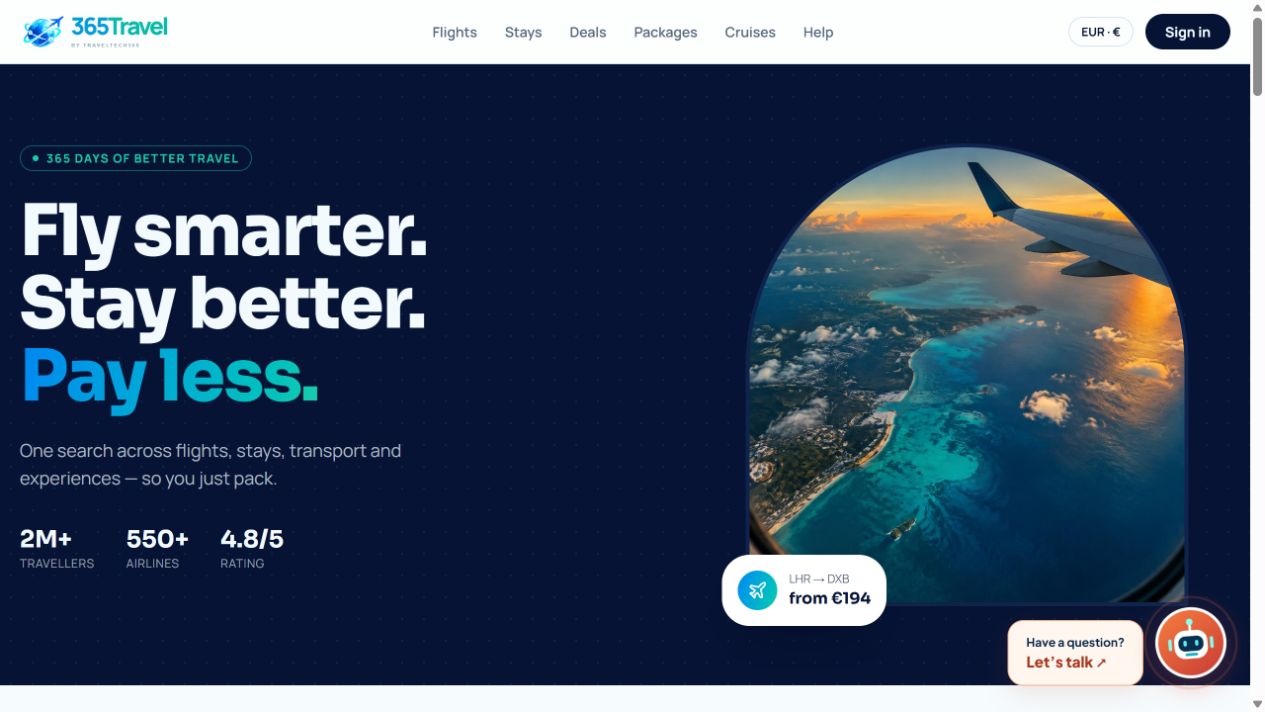
TravelTech365 sample designs, such as the travel website sample layout and the island travel sample layout, can be used as visual references when discussing style, page composition and content presentation. For your own build, review content, accessibility requirements and booking functionality on the devices travelers actually use.
Include accessibility in everyday design decisions
Use descriptive headings, keyboard-operable controls, visible focus indicators, readable contrast and explicit labels for form inputs. Links should describe their destinations rather than rely on “click here.” Meaningful images need alternative text when images are added by the implementation team; decorative images should not repeat nearby copy unnecessarily. For error states, explain which field needs attention and how to correct it. These choices support visitors using assistive technology and people navigating on small or unreliable screens.
For a single agency website, work through the accessible enquiry journey from form to staff handoff before launch.
Accessibility testing should include real interaction, not only automated scanning. Check whether someone can open the mobile menu, browse package details, change travel dates and submit an enquiry using a keyboard and screen reader workflow. If the agency has multilingual requirements, plan text expansion and right-to-left layouts where relevant before finalising components.
Enquiry forms and CRM or WhatsApp handoffs
Design an enquiry screen around a realistic conversation
Imagine a visitor viewing a “Family Holiday in Bali” package. The enquiry screen can preserve the package name automatically and ask for travel month, approximate number of adults and children, departure city, preferred hotel category and any flexibility in dates. A short free-text field can capture requests such as “two connecting rooms” or “include activities suitable for a six-year-old.” Ask for contact name, an appropriate phone number with country code and an email address if needed for the intended response.
Make the confirmation and next step explicit
After submission, show a clear confirmation message and a reference identifier if the system creates one. Tell the visitor which communication channel the team may use and how to provide missing information. Do not promise a response within a particular number of hours unless the business can support that promise. Send a confirmation email only when appropriate consent, email deliverability and operational requirements have been planned.
Errors deserve equal attention. If a date is invalid or the contact number cannot be parsed, preserve the other fields and display a specific explanation near the issue. Prevent accidental duplicate submissions and determine what happens when a connection drops. The agency should also have a recovery path for legitimate enquiries that fail to reach the CRM, such as monitored notifications or a secure retry queue.
Route website enquiries into a workable CRM process
Depending on the selected CRM and available integration methods, a website enquiry can create a lead record with the page source, package reference, destination, dates, traveller details and message. The agency can then assign an owner, record follow-up activity, prepare a quotation and track whether the visitor needs a revision. Avoid treating every enquiry as a confirmed booking: a quotation, a provisional hold and an issued reservation are different operational states.
Agree on field mapping before development. For instance, “preferred month” from a flexible-trip form should not be forced into a single confirmed departure date. Establish duplicate-handling rules so repeated enquiries from the same person remain understandable without erasing distinct trip requests. Restrict personal data access by role, define retention responsibilities and ensure the receiving system can handle the form's required and optional fields.
Connect WhatsApp handoffs to your enquiry records
A WhatsApp contact action may be useful for quick questions, particularly when visitors already prefer messaging. A page-level action can open a conversation with a prefilled, user-editable message such as “I would like details about the seven-night Japan itinerary.” Confirm that the correct business number, privacy messaging and handling process are in place. If the project includes an approved WhatsApp integration, its capabilities and message templates should be checked against the relevant platform requirements.
WhatsApp conversations should not become invisible work. Establish how staff associate a chat with the relevant lead, record decisions and send formal quotations or booking documents through appropriate systems. Never assume that opening a WhatsApp chat means the message was sent, read or assigned. For agencies working across shifts, an ownership and escalation process matters more than the appearance of an instant-contact button.
Decide whether live booking belongs in the scope
Live booking is optional. An agency offering individually quoted packages may benefit most from an efficient enquiry-to-quotation workflow. A business selling defined inventory may need search, availability, rate presentation, passenger details, payments, supplier confirmation and post-booking servicing. Each step introduces operational and integration responsibilities that should be planned separately.
If the agency wants flights, hotels, activities or transfers bookable online, first confirm the intended supplier relationships, API permissions, data rules and commercial workflows. Specify how the website responds when a rate changes, availability disappears, a payment fails or an order requires manual review. Distinguish a request-to-book from an instantly confirmed reservation in the interface. A modular design can leave space for future booking functions without pretending that a catalogue CMS is already a full booking engine.
Travel website redesign and content migration
A redesign is also a content and operations migration. The old site may contain package descriptions, destination guides, legal pages, enquiry destinations, downloadable documents and links shared in emails or advertisements. Replacing pages without inventorying them can create broken journeys for visitors and unnecessary work for staff. Treat existing URLs and content as project assets that need decisions, not as disposable material.
Step 1: Audit the existing website and its dependencies
Compile the current URLs, page types, internal links, forms, downloadable files, structured content and third-party connections. Record which pages the agency still wants to keep, combine, rewrite or retire. Include contact addresses, booking-related notifications, analytics configuration and domain-related dependencies in the audit. Compare this list against the planned navigation and CMS schema before a development team begins moving content.
Step 2: Map redirects and preserve important paths
Create a mapping between each changed old URL and its most relevant new URL. Use a permanent redirect when content has genuinely moved to a replacement page, and check that redirects do not form chains or loops. Update navigation, sitemaps, canonical references and important internal links to their final destinations. Keep valid pages accessible during the transition where practical, and verify how the site handles discontinued packages.
For example, if /tours/japan-spring.html becomes /destinations/japan/spring-itinerary/, the old address should lead to the matching new itinerary when the content is equivalent. If a cancelled trip has no replacement, show a truthful status and an appropriate alternative enquiry rather than sending a visitor to an unrelated trip. Search indexing and traffic behaviour cannot be guaranteed by a migration plan, but careful mapping makes the new site easier to navigate and verify.
Step 3: Review images, claims and editorial ownership
Inventory image licenses, captions, descriptive text, downloadable brochures and staff-supplied copy. Confirm that photographs are usable for the intended website and that pictured activities actually correspond to the represented destination or itinerary. A scenic beach image may be appropriate on an inspiration page but misleading if presented as the exact hotel or excursion included in a package. Record credits and usage restrictions where required.
Migration is also the right time to remove unsupported superlatives, expired offers and unclear conditions. Identify who will verify travel requirements, inclusions, availability statements, cancellation wording and operational contacts. The agency remains responsible for approving its commercial and destination claims; the development workflow should make these approvals visible before publication.
Step 4: Test the replacement before launch
Run a content review against the agreed page inventory. Test navigation, page search where present, enquiry forms, email delivery, CRM field mapping, WhatsApp links and error messages. Review the site at different viewport sizes and with keyboard navigation. Test redirects using a representative list of popular and long-tail URLs, not just the homepage. Check that staging pages are not unintentionally indexed and that the live site allows the intended public pages to be discovered.
CMS maintenance and editorial ownership
Travel content ages unevenly. A destination introduction may remain useful for years, while departure availability, package inclusions and contact assignments can change frequently. A sustainable website makes those differences manageable. Without an editorial process, even a well-built CMS can fill with duplicate trips, stale dates and contradictory answers.
Assign responsibility for each content type
Agree on roles before the agency starts publishing. A product editor may own itineraries and package details. A destination specialist may check local descriptions and practical travel notes. A sales lead may approve quotation language and enquiry routing. A designated publisher may review the final page for completeness, accessibility and brand tone. The same person can hold several roles in a small agency, but the responsibilities should still be named.
Create a short publishing checklist covering itinerary accuracy, image permissions, inclusion and exclusion text, enquiry destination, contact details and publication status. If package prices are displayed, define who checks them and how frequently. When a scheduled departure ends, decide whether the page should show an alternative date, request a future itinerary or be archived. These decisions are editorial operations, not just website settings.
Make the CMS safe for regular updates
Editors should be able to update packages without damaging shared page templates. Reusable components can keep itinerary structure, related trips and enquiry actions consistent. Permissions should distinguish authors from people who can publish, change settings or alter integrations. Revision history and preview environments help reviewers catch mistakes before visitors see them. A content migration or bulk import should include validation for missing destinations, broken associations and incomplete itinerary days.
Maintain technology, privacy and performance deliberately
Define a maintenance plan covering software updates, dependency and security reviews, monitored backups, restoration tests, form-delivery checks, accessibility regressions and performance monitoring. Hosting, support windows and incident response should be agreed as project terms rather than assumed. Test updates in a suitable non-production environment when changes could affect lead capture or live booking functions.
Collect only the personal information required for the stated purpose, explain its handling and restrict who can access it. Agree on retention, deletion and access-request procedures with the business and its advisers. If analytics or marketing tools are included, review consent and privacy requirements for the markets the agency serves. Technical implementation can support these responsibilities, but the agency must approve the applicable policies and practices.
Review the site using questions that lead to action
Rather than measuring success by page count alone, ask whether visitors can find relevant packages, understand the next step and submit complete enquiries. Review form completion problems, unanswered questions received by staff, mobile navigation issues and destination pages that repeatedly need manual clarification. Use these observations to improve wording, field choices and page structure. Do not interpret a rise or fall in enquiries without considering campaigns, seasonality and staffing changes.
Example enquiry journey for an island holiday
Consider a fictional travel agency that arranges flexible island holidays. It does not have confirmed live inventory for every property, so its first release focuses on content and enquiries. The homepage introduces beach escapes, family itineraries and multi-island trips. A destination index lets visitors select islands by broad travel interests, while an individual destination page explains travel styles and points to sample routes. This is an illustration of a workflow, not a claim about any TravelTech365 customer.
From inspiration page to package detail
A visitor opens a “Seven Nights Across Two Islands” page. They see a short overview, a simple route summary, a day-by-day outline and clearly separated lists of possible inclusions and items requiring confirmation. The page explains that hotel choices, transfers and final prices depend on the requested dates and quotation. Related pages offer a slower-paced trip and a family-oriented alternative, helping the visitor compare without treating the samples as live offers.

From enquiry form to human follow-up
The visitor selects “Customise This Trip.” The enquiry screen displays the itinerary title as context, then asks for preferred travel month, adults and children, departure city, room preferences and a contact method. The visitor can add “We prefer fewer transfers and a quiet hotel.” After submission, the screen acknowledges receipt without promising a confirmed reservation. The mapped CRM record identifies the sample itinerary and the visitor's stated constraints.
A sales adviser reviews the record, checks whether the suggested route is practical and replies with questions or a quotation through the agreed channel. If the visitor chooses WhatsApp, staff still record relevant decisions in the CRM. The editorial team can later update the sample package based on recurring questions, without exposing another traveller's details or publishing unapproved rates.
Frequently Asked Questions About Travel Website Development
Does every travel agency website need online booking?
No. Agencies selling customised itineraries or negotiated group travel may need content, structured enquiries and quotations first. Live booking makes sense when available inventory, supplier permissions, payment arrangements, confirmation handling and servicing processes are ready. The project scope should reflect how the agency actually sells.
Can staff update destinations and packages themselves?
A suitable CMS can let authorised editors manage package text, itinerary days, galleries, tags and publication status. The exact editing controls, approval workflow and content model should be defined during discovery. Training and written editorial responsibilities help the team use those tools consistently.
Can the website connect enquiries to our existing CRM?
Possibly, depending on the CRM's available interfaces, permissions and data model. Discovery should confirm which lead fields are required, how ownership is assigned, how duplicates are handled and what happens if a submission fails. A tested integration is more useful than a form that merely displays a successful-send message.
How should WhatsApp be included?
Use a clearly labelled contact option, provide suitable context and make staff ownership explicit. A simple chat link and a managed messaging integration are different scopes. Where conversations influence quotations or bookings, establish how important information is recorded and how privacy expectations are met.
What happens to existing pages during a redesign?
Inventory the pages and choose which to retain, combine, improve or retire. Map changed URLs to relevant replacements, review internal links and test redirects. Preserve useful content where appropriate and verify that forms, documents and navigation still work after launch. Avoid assuming a new layout automatically resolves old content problems.
Will the website work on mobile devices and support accessibility?
Responsive behaviour and accessibility should be explicit design and testing requirements. Acceptance checks can cover mobile menus, readable itinerary content, keyboard operation, form labels, focus states, meaningful error feedback and representative assistive-technology use. Scope and review criteria should be agreed rather than inferred from a visual mock-up.
What should we prepare before discussing a development project?
Bring your current website address, main audience types, sample packages, preferred enquiry flow, existing CRM or messaging tools and a list of content owners. Identify any planned booking integrations and known migration concerns. These materials help distinguish the essential first release from features that can be considered later.
Discuss Your Travel Agency Website Requirements
Whether the immediate priority is a more useful destination catalogue, easier package publishing, a cleaner mobile experience or a dependable path from enquiry to follow-up, start by mapping the visitor journey and the agency's operating responsibilities. TravelTech365 can discuss a custom website development or redesign scope that separates content, CRM handoffs, migration, maintenance and optional booking integrations into clear deliverables.
Discuss your travel website development requirements with TravelTech365 and share the pages, workflows and challenges you want the project to address.