

Event booking software for a conference has to answer two questions at once: who can attend the event, and who has a place in each activity that needs separate admission? A badge can get someone into the building without guaranteeing a workshop seat. A main registration may be paid while a linked workshop remains on a waitlist. A venue can release a room without automatically authorising inventory for a different registration tier. Design the workflow around those distinct commitments so staff see the answer they need at a busy entry desk.
Use the fictional Coastline Practice Forum as a working example. The two-day event has 240 paid registrations, an evening reception that needs a separate response and two small afternoon workshops using different spaces. One afternoon session has only 24 seats and opens a waitlist after filling. Attendees can join with employer-paid passes, individual passes and speaker access. The software needs to understand the difference between those credentials, a workshop reservation and a recorded check-in. The example counts and prices are test assumptions rather than recommendations about venue capacity or pricing.
Begin with a model the registration desk can explain
Identify the event, registration type and admission benefit separately. A registration type describes the category under which a person purchased or was invited. An admission benefit describes what the resulting credential or reservation grants. The main badge can provide building access for two days, while the breakout benefit attaches a named session at a time and place. If a buyer can purchase passes for five employee attendees, store the purchase separately from the participants. The person who receives the invoice may not be the person who attends or can request a session change.
Use separate identifiers for a ticket or credential and for the person entitled to use it. Making a badge a participant's only identifier causes duplicate problems when physical credentials are reprinted, the company changes one attendee or a ticket is transferred with approval. A reprint can replace a credential while keeping the admission rights on the same registration. A substitution may create a new participant and adjust the assignment of rights. The desk needs enough information to follow the approved change, without seeing payment details or a larger list that includes unrelated conferences.
Capacity belongs to a room setup and a time interval
Keep a session's published time, controlling room, room mode and practical constraints together. A workshop limited by workstations might admit fewer participants than a play or talk in the same room layout. An accessibility arrangement can change how the space is allocated. The accepted operating capacity should come from the appropriate venue and event owners. Store its source and applicable time rather than relying on a duplicated “maximum attendees” field in multiple imports. Don't infer from a public floor plan how many people you can admit. There should be a documented operator decision when a room is reassigned or a session expands.
A participant can hold one right to one scheduled session while also occupying a main registration. Decide how the system rejects two sessions at the same time and how staff handle exceptions such as a speaker whose commitment begins earlier than its public time. Count places reserved for approved categories separately from unsold inventory, and provide a policy for returning unused reserves. A desk should know whether a spot really is available for a walk-up guest, not merely see an empty chair at five minutes past a scheduled start; the owner might still allow late arrivals.
Show a small waitlist without letting it become a promise
When the 24-seat breakout fills, the attendee can join a separate list if permitted. Its status should clearly state that the place is not confirmed. If cancellations return capacity and the rules allow automatic promotion, allocate a specific offer that holds a place for a defined time, show its deadline and let the attendee accept or decline. Expiry can release the place for the next eligible participant. Some workflows instead authorise staff to assign the place directly. The choice depends on how the event communicates commitments. Both routes should preserve the reason a given attendee was offered or assigned the place.
Official Cvent guidance on session waitlists is one example of a platform managing session-level admission separately. Its product behavior is not a requirement for your system. The Events Industry Council event specifications template provides a complementary planner's view of session and venue information. Use these references to ask the product and the on-site event team whether event admission, capacity and operational instructions share a reliable source. Check the actual policies for your registration types and event contract.
Clarify who keeps a place when plans change
Suppose one employer reassigns a paid pass from Toni to Jay. Toni's seat in the morning workshop may be transferable only under the session rules, while their place on the other waitlist may attach to their personal registration rather than the employer's pass. When staff process the change, show the replacement access and each linked commitment before finalising. Record which places were transferred and which were released. The customer service agent can then explain why Jay received an event badge but not a workshop confirmation when the company thought all preferences would carry over.
When access is time dependent, use event-local date and time in emails, pass views and in-person exceptions. An email saying “expires at 7” is ambiguous for a traveller who hasn't arrived in the region. Also decide whether an offer is released at expiry automatically and what the UI shows if staff need to intervene. An attendee opening a delayed message should see the current availability and decision, not a stale button that triggers a second allocation. When a reserved waitlist offer is withdrawn because the event changes rooms, show the actual reason and follow the notice process your team approved.
| Record | Sample state | What the desk may do |
|---|---|---|
| Employer order | Five main registrations accepted | Refer invoicing changes to the authorised purchaser or finance role |
| Attendee credential | Active for the venue and event dates | Verify the assigned registration and replace a lost badge where permitted |
| Breakout reservation | Confirmed for Thursday, 15:00 | Admit according to the accepted session policy |
| Waitlist offer | Offered; acceptance due at 11:30 event time | Show current decision and avoid treating a pending offer as a reservation |
| Entry scan | Received from an offline device | Reconcile with accepted admission and previously recorded scans |
Decide how a cancellation affects both capacity and money. A customer who cancels a workshop may release a seat without being due any money, while a paid pass cancellation has different terms. If a workshop is rescheduled, a registrant can accept a different time or choose a fallback under the event's agreed policy. Returning the seat, refunding an amount and recording a payment adjustment are separate events. One rapid change at the desk should not debit an employer or create an open register refund without the appropriate permissions and evidence.
Build the screen for a line of people, not the planning meeting
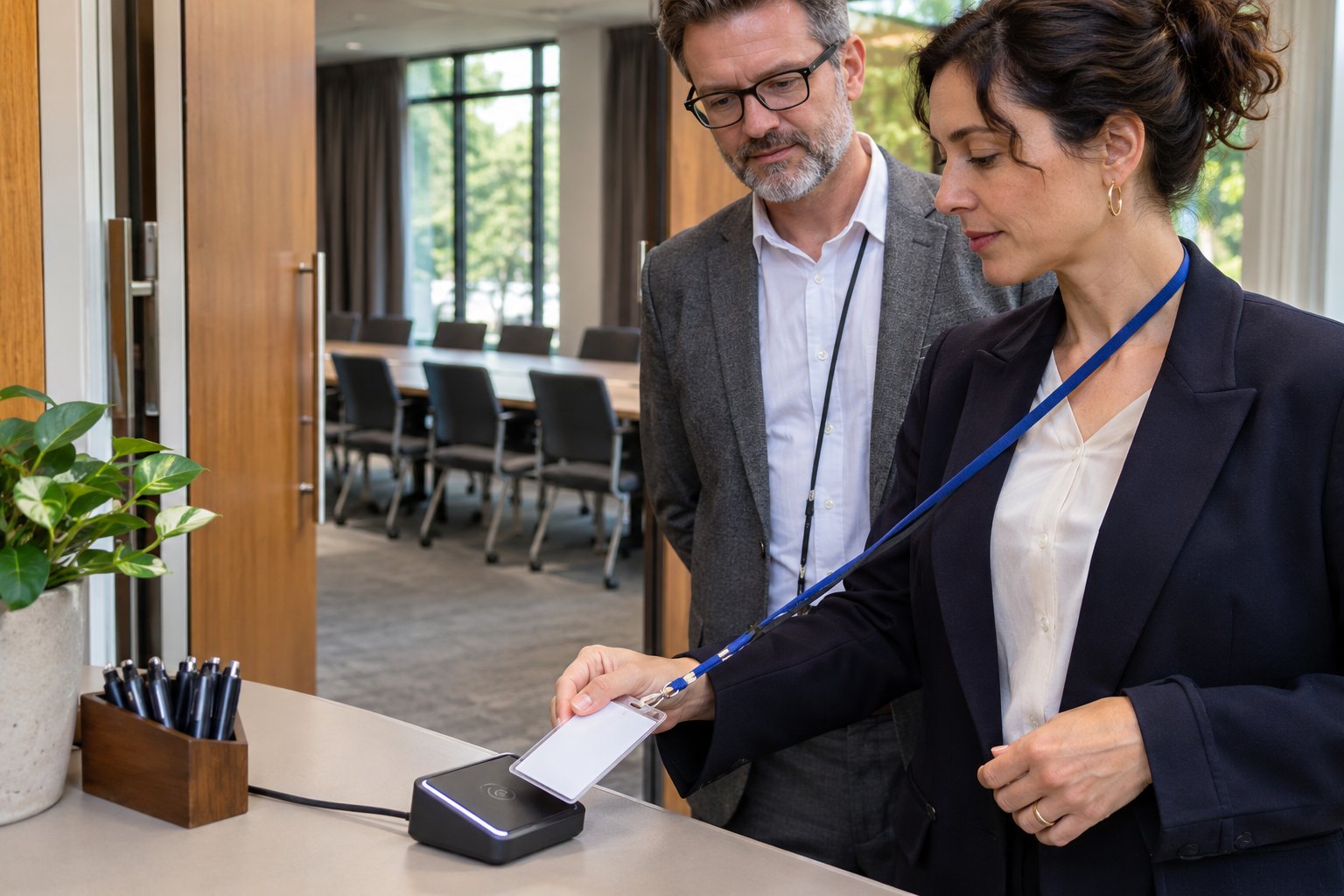
A conference desk typically needs prompt access to one attendee registration, not a dense display of all event dates and money. Begin with a search by permitted reference, credential or the minimum useful identity input. The entry view should return what it can verify: event admission, matching participant and any specific instructions for a workshop. Display a reason if entry is blocked or needs review. Give staff a supported next action or help contact; sending someone to the other end of a venue based on a vague icon breaks the working flow.
Do not put personally sensitive details in a QR code or a scan message. Treat the credential as a reference whose meaning depends on the authorised host and event. If an offline session can scan within a specific area, define which minimum records the device can use, how they expire and when to stop trusting old data. A device that has not synced since before an approved transfer may still see the original badge as active. Have a human fallback for discrepancies and preserve a record of the provisional observation. Stale or inconsistent state needs a helpful path to a supervisor rather than an endless search for Wi-Fi.
Distinguish duplicate scans from duplicate rights. A participant may leave and re-enter the lobby during permitted access. A workshop might allow one attendance event while a venue pass allows multiple entries. Record the event, reader, site and observation time, then apply the session or venue policy to the facts. Let the device report an already-checked-in condition with enough context for verification; don't equate a re-read with fraud. Staff who need to correct a mistaken scan should create a documented correction rather than changing the original time and device. Counts become explainable when observations and conclusions remain identifiable.
Give attendees usable confirmations on their own devices
Explain the difference between a main registration accepted and a session place approved. Show confirmed workshops in chronological order with local dates, venue text and a route to accessible alternatives or event staff. Offer a usable ticket view if the attendee's mail client strips formatting, and provide a way to ask for help when the credential does not open. A registrant may have a valid place even if their phone is out of power; build the lookup process rather than requiring everyone to use the same access device. Rehearse the desk flow with the screen off, a printed email and one staff member who only has a limited event role.
Make waitlist messages readable: what session, slot local time, status and any acceptance deadline. Avoid ambiguous generic subject lines when a person has multiple reservations. A participant who declines a waitlist offer should still retain the underlying event admission. Keep a brief timeline to confirm why a place is no longer held and offer the appropriate next action. If the attendee gets the same notification through an app and email, both should open the relevant state in the same authoritative booking path rather than creating two competing confirmations.
Reconcile the day without confusing entry, attendance and payment
The planning team might ask how many dinner places were reserved, how many attendees entered the hall and how many paid. These are different questions. Reconcile the reservation ledger with observed attendance and the money records according to their owners. Record the count basis so a person who attended in the morning and after lunch does not inflate a report of unique guests. A complimentary speaker could be admitted and present without adding ticket revenue. A charge paid by a company may not match individual session participation. Reporting needs to say which conditions it applied instead of comparing several unrelated totals in one row.
Build a companion review for discrepancies at the highest-risk transitions: an attendee paid but no active credential is found; a session reservation appears in two places after separate offline scans; a cancelled pass unexpectedly remains in the admission file. Have someone authorised to trace each issue to the accepted status, observed scan and related financial data, without letting general desk staff export private event records. Identify the status of the correction itself so repeated updates do not create additional incidents. Once an issue closes, retain enough evidence to train staff and update the test plan.
Plan for term changes and refunds on the sample event. Suppose a venue becomes unavailable for the evening reception. The organisers may promise a move or another remedy based on the event conditions. Record the underlying decision, the accepted change or cancellation, affected participants and who approved any value to be returned. The communication needs to name that change without implying the attendee's main pass was cancelled unless that is supported. Depending on the payment route, refunds and references may live in a payment provider or external financial service. Implement only authorised operations and show why a financial correction is pending if certainty is unavailable.
Test the conference with representative exceptions
Use authorised fictional records and exercise simultaneous use. Two attendees should try to accept a single released workshop place, while a staff member moves another participant who was given a named concession. Verify there is at most one allocation for the released seat and that the concession has a recorded actor and reason. On a separate device, have an attendee show an old badge after a reprint. The desk should be able to make an approved decision and record the observation in the right event without exposing the purchaser's invoice. This test is designed around actual operations rather than checking the presence of a button.
At the venue admin screen, exercise a smaller replacement room. Staff need a record of what capacity was approved, which confirmed guests still have a place and how affected people are handled. Do not simply move the event and mark everyone confirmed. Require the authorised planner to resolve the over-capacity situation before new check-ins proceed under the replacement plan. Record who authorised it and how the event communicated updated arrangements. Check how the printed plan, mobile app and live desk dashboard represent the effective revision when one channel does not immediately receive it.
Test interdependence between an employer order and pass holders. One buyer cancels two names from a five-pass order and provides replacements for one. Walk through the access results for all five people, a linked reception and the payment route. Aim for the smallest number of cases an operator needs to investigate while maintaining a traceable record of decisions. Repeat with an invited speaker who has no fee and gets a priority class for the workshop. The admission engine should understand both relationships without assuming every paid order provides the same session rights.
Finally, simulate a front desk queue. A limited-permission colleague joins the shift with a new handheld reader. Let them admit an expected attendee, identify an expired waitlist offer and route a blocked credential request. Ask them to find current instructions for an event room after a short connectivity loss. Note the words people use because status labels that seem obvious to the team that built them can be misunderstood by an event volunteer. The system is ready when a trained but non-technical operator can keep the queue moving safely and explain the unusual cases later.
Test the check-in station at closing time
Put a case at the end of an event day, when fewer staff remain to investigate. An attendee believes they checked in to an afternoon workshop, but the central report contains a scan only for the main lobby. Ask the desk which reader observations it can verify and give a supervisor a safe way to record other authorised evidence. The supervisor can accept attendance or leave the case under review according to the event's policy. An operator without specialist permissions should not mark the person present merely to change a graph, and a manual review should not award new admission automatically.
Repeat the exercise with a lost badge reported just before closing. A receipt remains linked to the registrant, but the old credential is no longer usable. Have the desk find the original admission evidence and follow the approved process for a replacement. Verify that later staff can see why there are two credential records and only one entitlement. Record what the system exports for the organiser's audit and whether it respects the privacy of a guest whose company paid. Closing the incident should give the next shift a clear outcome without requiring a personal note from whoever handled it.
Choose the smallest event that still tests the real problem
Begin with the main registration, one limited-capacity session and one authorised entry workflow. Leave separate sponsor sales or seating charts to a later stage unless the project depends on them. Agree who owns the confirmed attendee list, how one person reports an entry exception, and where the ledger receives financial evidence. Provide actual anonymised sample records instead of screenshots with sensitive names and credentials. Draw the current journey from purchase through workshop entry and event close. The simplest useful delivery covers each state through that complete slice.
Decide what the event team needs to know next time
Prepare a short review for each role after the pilot. Registration staff can describe the kinds of cases they could not resolve at the first desk. Session leads can identify unsuitable waitlist timing or ambiguous blocked entries. Finance can distinguish refunded amounts from open adjustments and verify which accepted purchase created them. Ask each group to name the most consequential missing field or status evidence. This is more actionable than an overall rating of the system, and should guide which employer, vendor or venue integration gets attention first.
Review the event's waiting list policy after observing actual behaviour. A typical offer might be sent while attendees are boarding trains or presenting in another session. Rather than changing every rule from one unusual case, review whether the response window is reasonable for the event, what notices should be combined and whether any attendee group cannot use the primary message channel. A proposed policy should include who can make exceptions and what evidence staff can keep. Treat it as a consent and operations decision, not an arbitrary engineering constant that silently changes between events.
Discuss acceptable data access at the end of the event as well as during it. The planner may have agreed to provide an aggregate report to a sponsor but not disclose which individuals tried to join a workshop. Employees who collected tickets on site may no longer need access to the list. Separate expiry of their tools from the organiser's ability to reconcile the final totals. Decide who approves a later report and what fields it should include. Data retention is easiest to implement at the handoff when each party can explain their purpose instead of addressing it only at the next event.
See the mobile event ticketing guide for ticket presentation and venue pass workflows. For the conference registration and waitlist problem, bring a current example of how event access, session admission and financial obligations are assigned. Use the TravelTech365 project enquiry to review the necessary role, venue, supplier and payment boundaries. Specify one failed handoff and a concrete outcome your people should be able to verify. That will make the first prototype easier to test on a realistic schedule.